Product Details Page

Enhancing how users explore and interact with product information

Role

UI & UX Design

Team Size

One designer(Me), one design director, one product manager.

Project Length

2-3 Months

Date

July 2023

Introduction

Product detail page (PDP) is the page where user seeks in depth information about their chosen products.

Results

End result is a 21% Increase in conversion rate from product details page to checkout

Old Design

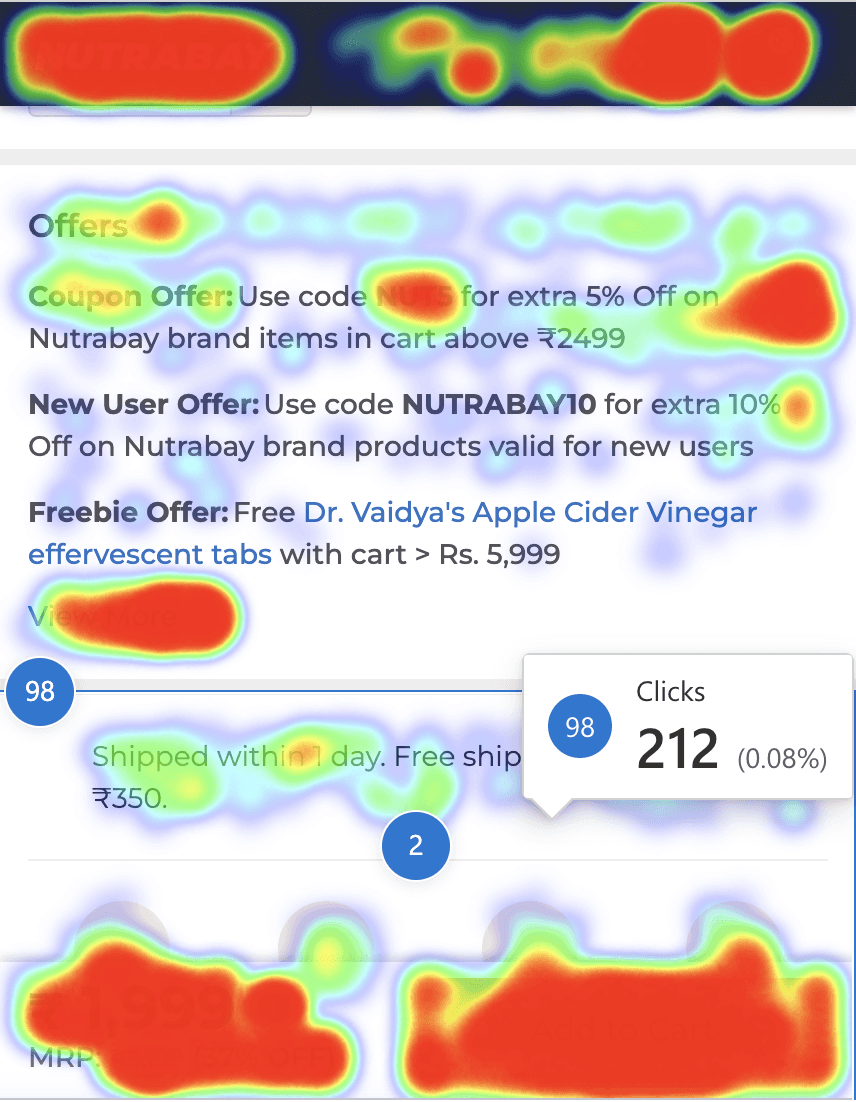
Insights from heat maps, clarity user sessions and NPS

Before starting the research I divided my users into groups to better understand different types of users who visit our website. Beginner, intermediate and expert gym goers.

Using filters boosts user clicks to 50%, compared to 23% without them, moreover over half of the focus group was unaware of the designs for various events and clothing types.

Many users were unaware of the different print methods available. This suggests that filters might be underused because they are hidden and not easily discoverable.

Insights from NPS

The search bar lacks word suggestions based on user input and only shows one search history option, unlike other sites that display 5-6 recent searches.

The search bar lacks word suggestions based on user input and only shows one search history option, unlike other sites that display 5-6 recent searches.

Learnings from Competitive Research

What works well

Learnings from Competitive Research

Better swatch designs
Clearly display savings for each product variant and price per 100g to help users make informed purchase decisions.

Simplified Product Info Table:

Redesign the product information table for better readability and ease of understanding.

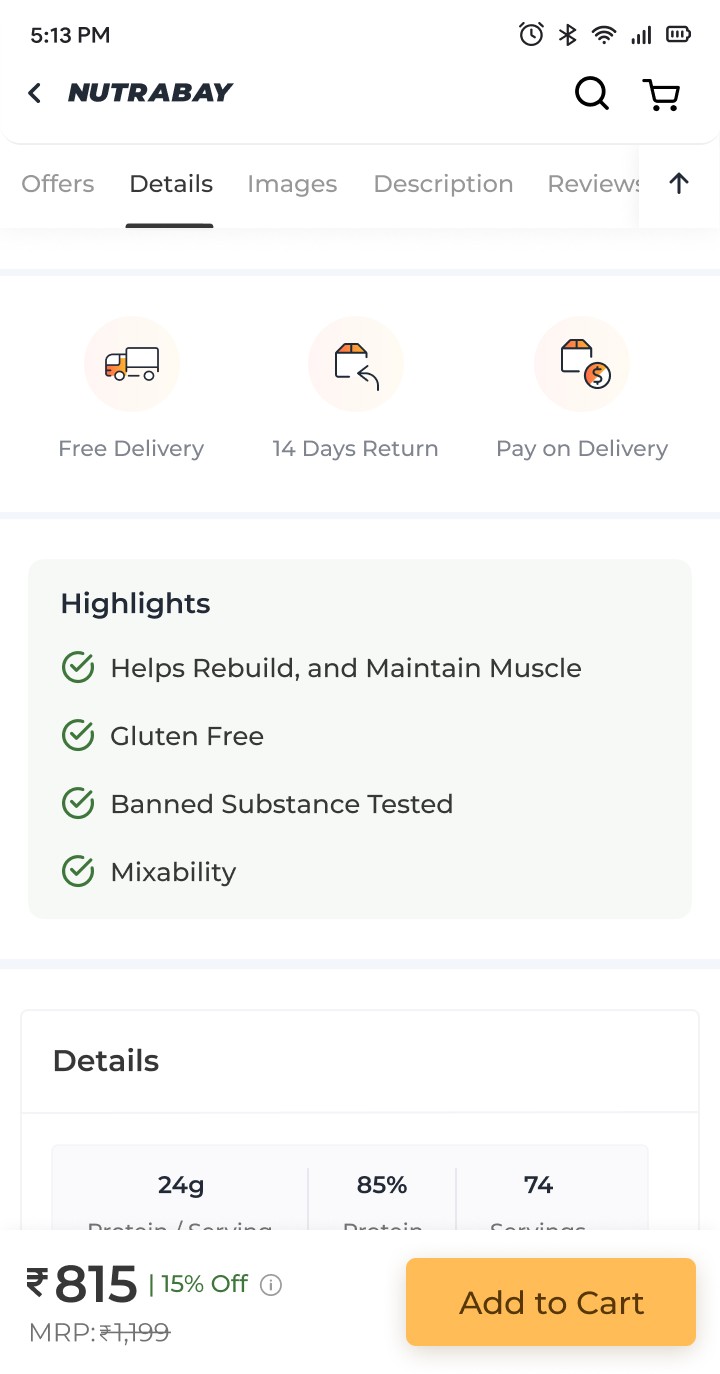
Concise Product Highlights:

Present key product benefits in a digestible format, eliminating the need to read lengthy paragraphs or lists.

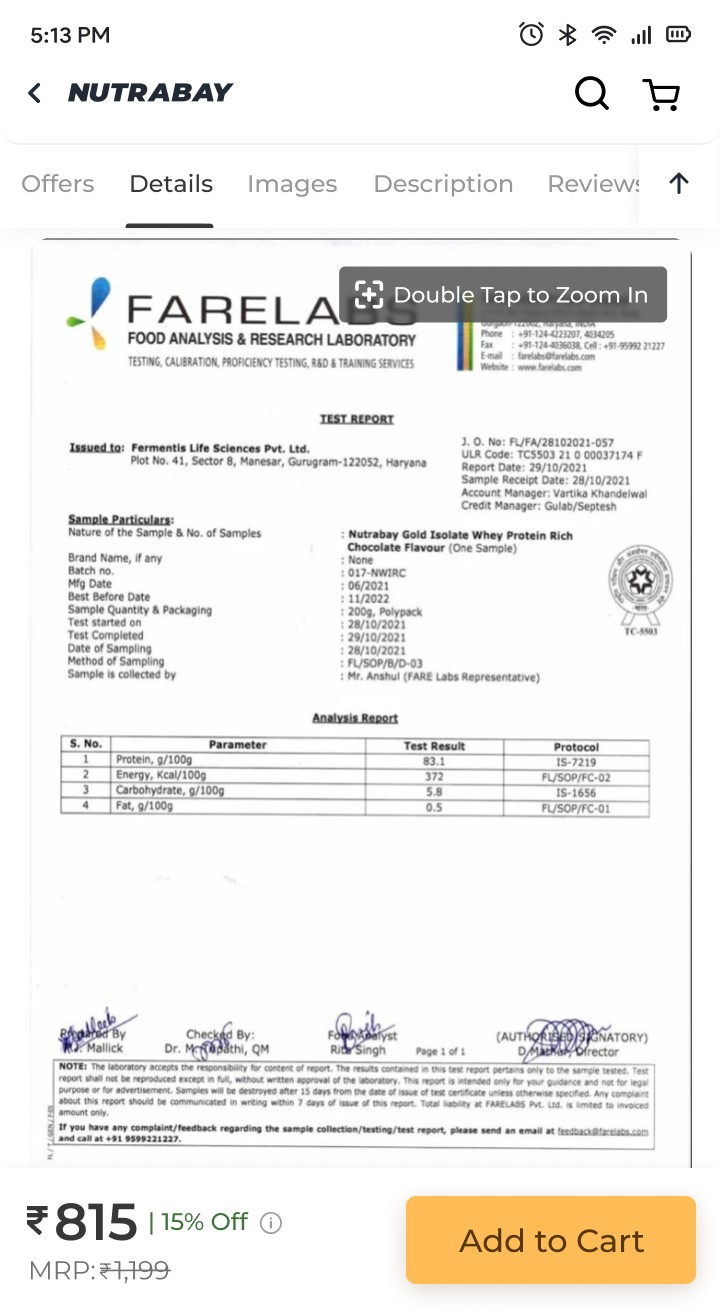
Authenticity Through Lab Reports:

Provide product lab reports to address user concerns about authenticity and build trust.

Seamless Image Browsing:

Use an open gallery format for product images, enabling users to view them without additional clicks.

Improved Navigation with Sticky Bar:

Added a sticky bar with scroll-to buttons for smoother navigation and a 'Back to Top' button for quick access to the start of the page.

More engaging offers section

Made the offers more engaging with strategic nudges and clear categories for easier discovery. Added space and used a contrasting background color to make them unmissable

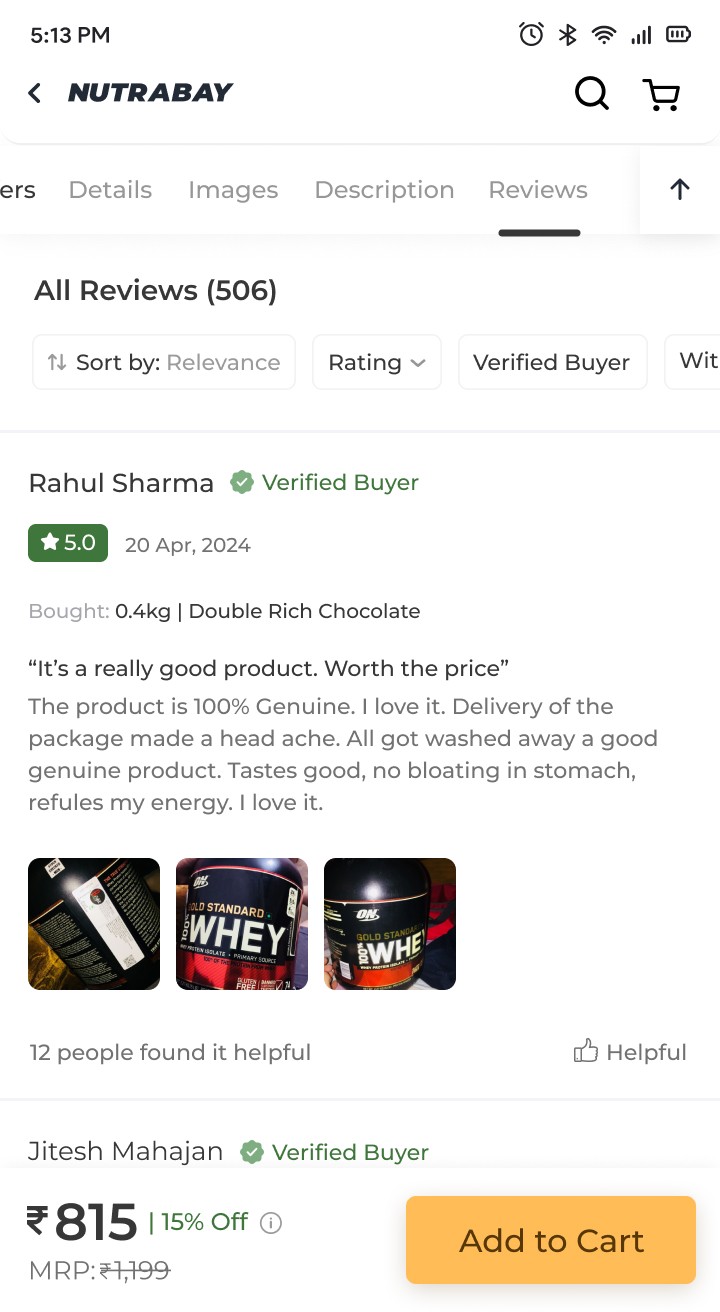
Improved ratings section

Improved review scanability with color-coded ratings. Simplified sorting with fewer clicks and precise star rating filters. Added tags for purchased product variants, enabling quicker decisions. Enhanced review card hierarchy to reduce cognitive load.

Can be improved

Limited First Fold Information

Large product images and poor layouts reduce the visibility of key information in the first fold, making it harder for users to get the details they need quickly.

Hidden Information

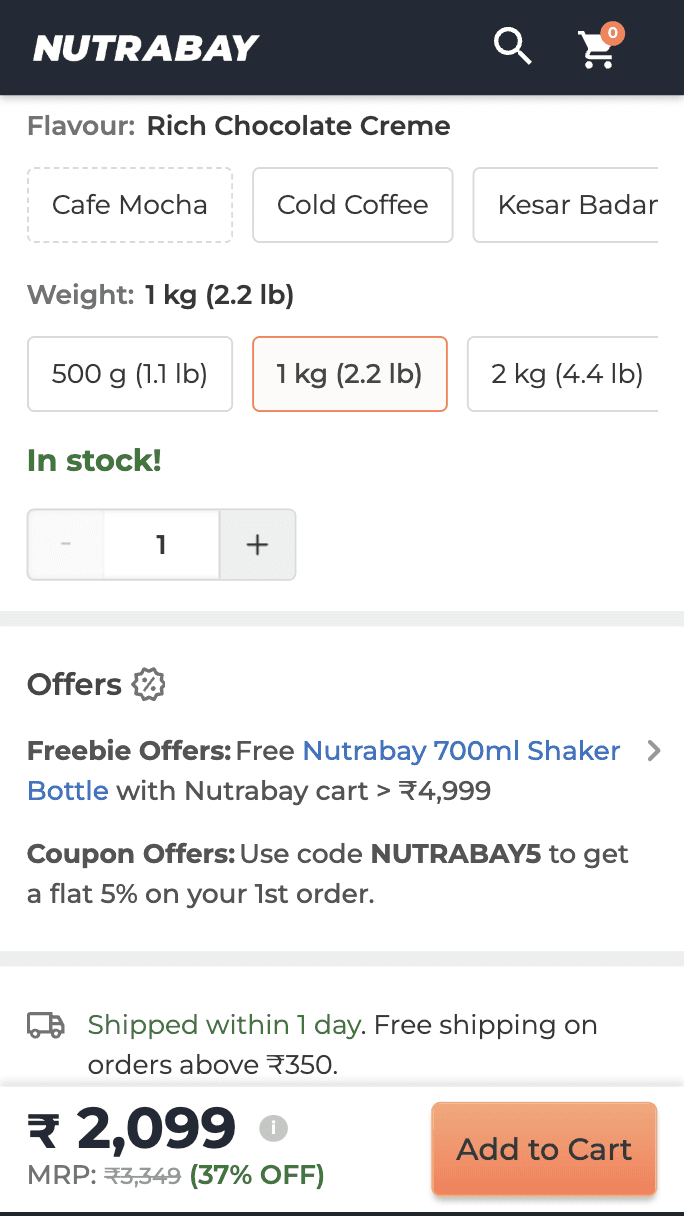
Product variants and offers are not immediately visible, requiring extra clicks or scrolling.

Flavors and weights are hidden behind additional steps, which could confuse users.

Dense or Difficult-to-Consume Details

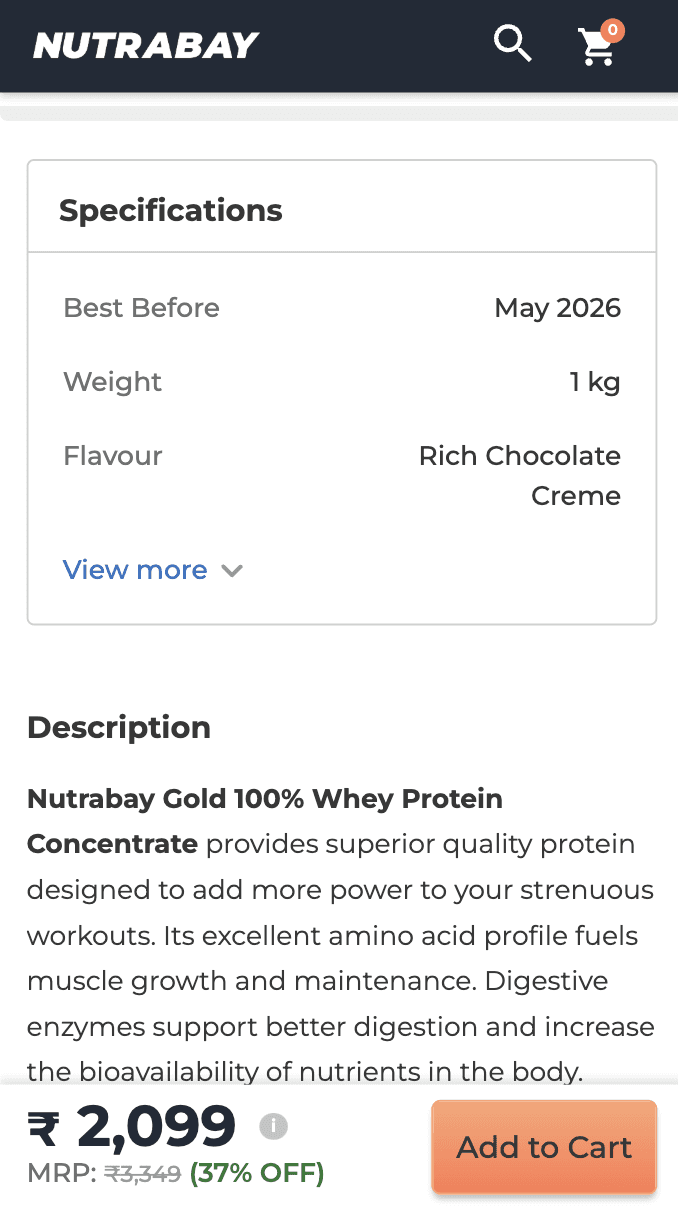
Long product info tables and dense bullet points make it hard for users to quickly digest important information.

Product Imagery & Hierarchy

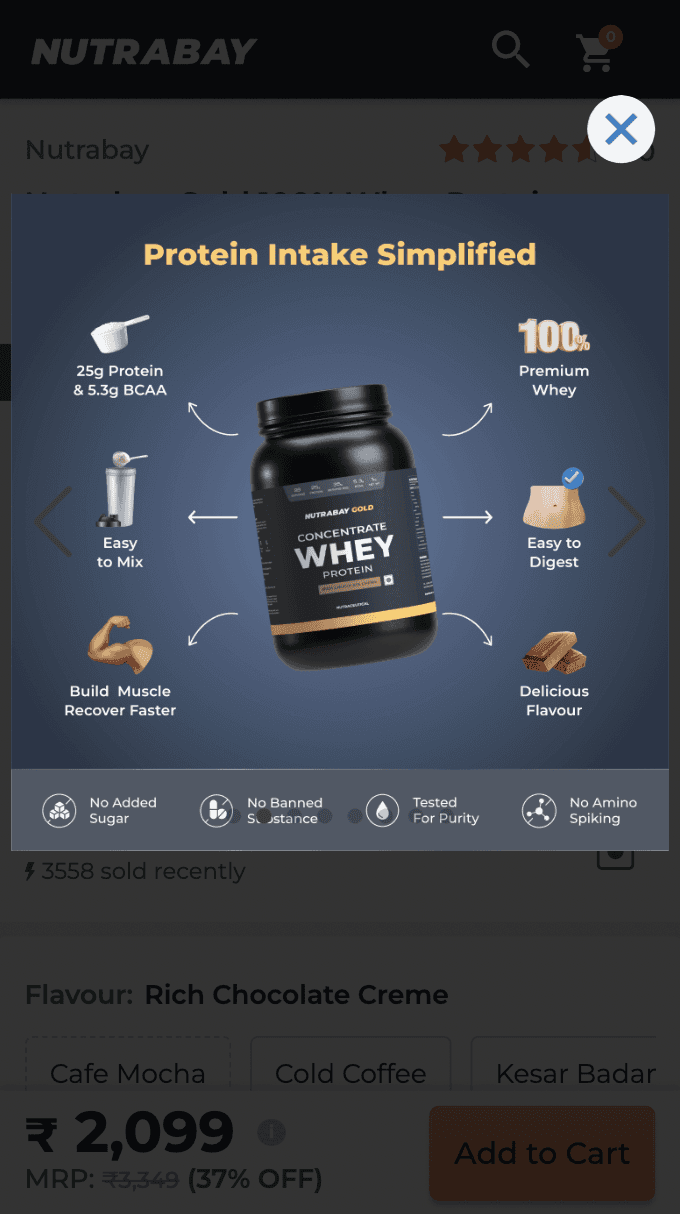
Large, detailed images and well-placed visuals help users evaluate products instantly, without extra clicks.

Prioritizing images in the product hierarchy ensures they appear before other information, catching user attention first.

Information Accessibility

Progressive overviews allow users to skim key details quickly, reducing cognitive load.

Nutritional info is grouped or strategically displayed to support decision-making.

Discounts are highlighted in unique formats, grabbing user attention effectively.

Visually Distinct USPs

Clear visual presentation of USPs highlights product strengths effectively and attracts attention.

Product Details Page

Enhancing how users explore and interact with product information

Role

UI & UX Design

Team Size

A Lead Designer(Me)
team of product managers.

Project Length

1 Month

Date

March 2024

Introduction

Product detail page (PDP) is the page where user seeks in depth information about their chosen products.

Results

End result is a 21% Increase in conversion rate from product details page to checkout

Old Designs
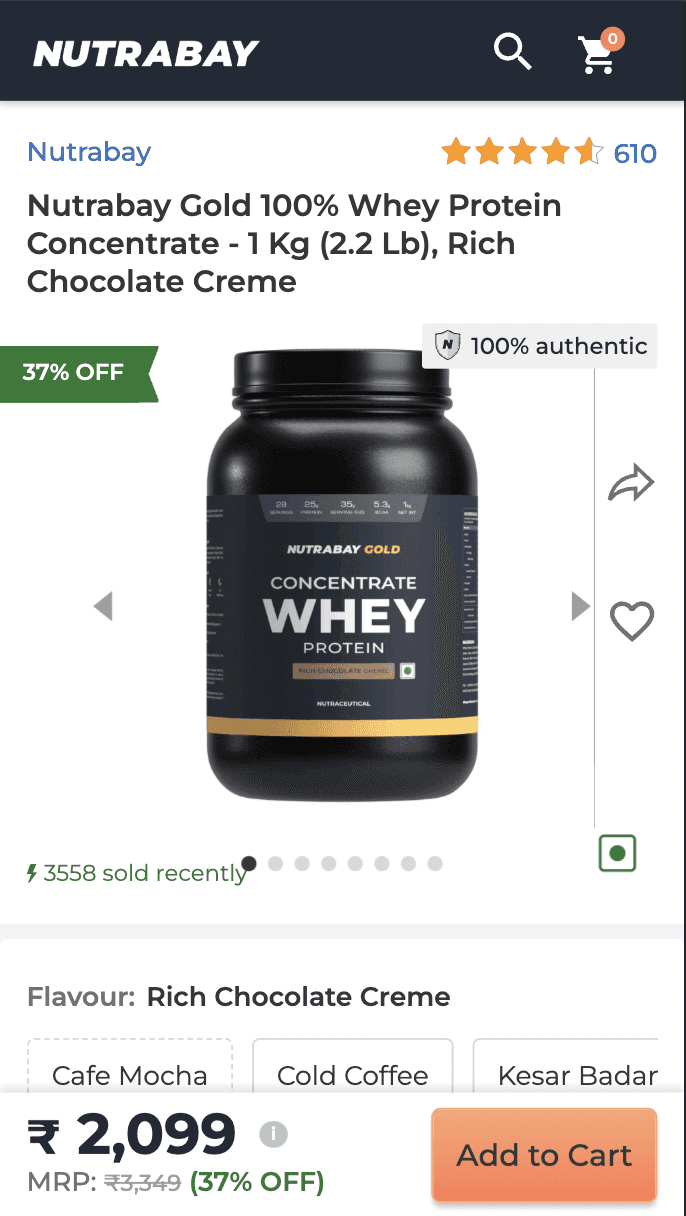
Insights from heat maps, clarity user sessions and NPS

Before starting the research I divided my users into groups to better understand different types of users who visit our website. Beginner, intermediate and expert gym goers.
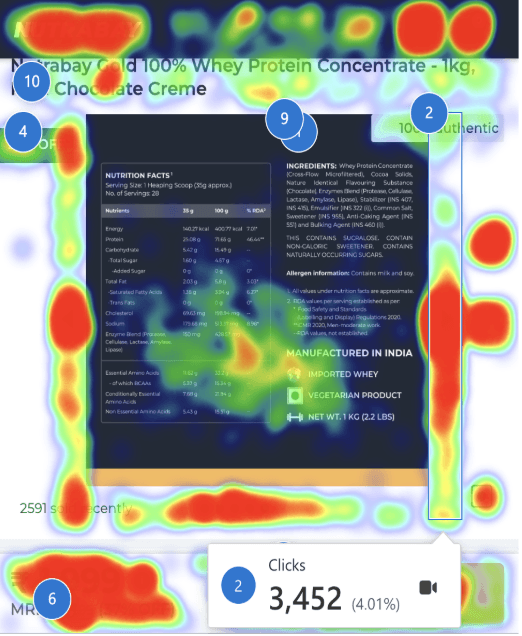
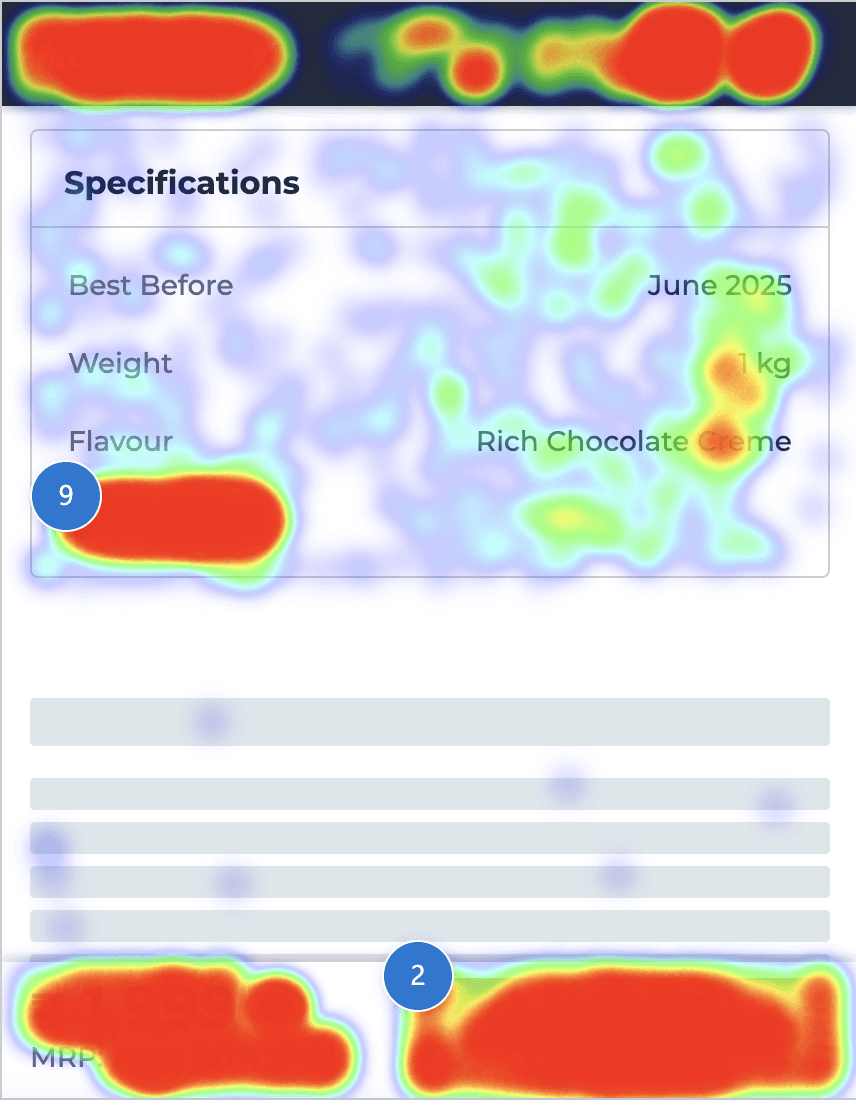
Users struggle to find complete nutrition and ingredient info easily.

Users visit the PDP swipe through different flavours and sizes and then leave the page

This layout is clunky and lacks clear hierarchy, making scanning and action difficult.

Does not clearly communicate the key benefits of the product, which makes it difficult for user to make an informed decision.

Ratings UX is old and difficult for user to skim through.

Difficulty in finding product details and descriptions.

Insights from NPS

Users value Nutrabay for authentic products, attractive deals , and wide variety of brands on one platform.

"Health & Fitness" and "Bodybuilding" are the top two goals, followed by "Weight Loss."

Learnings from Competitive Research

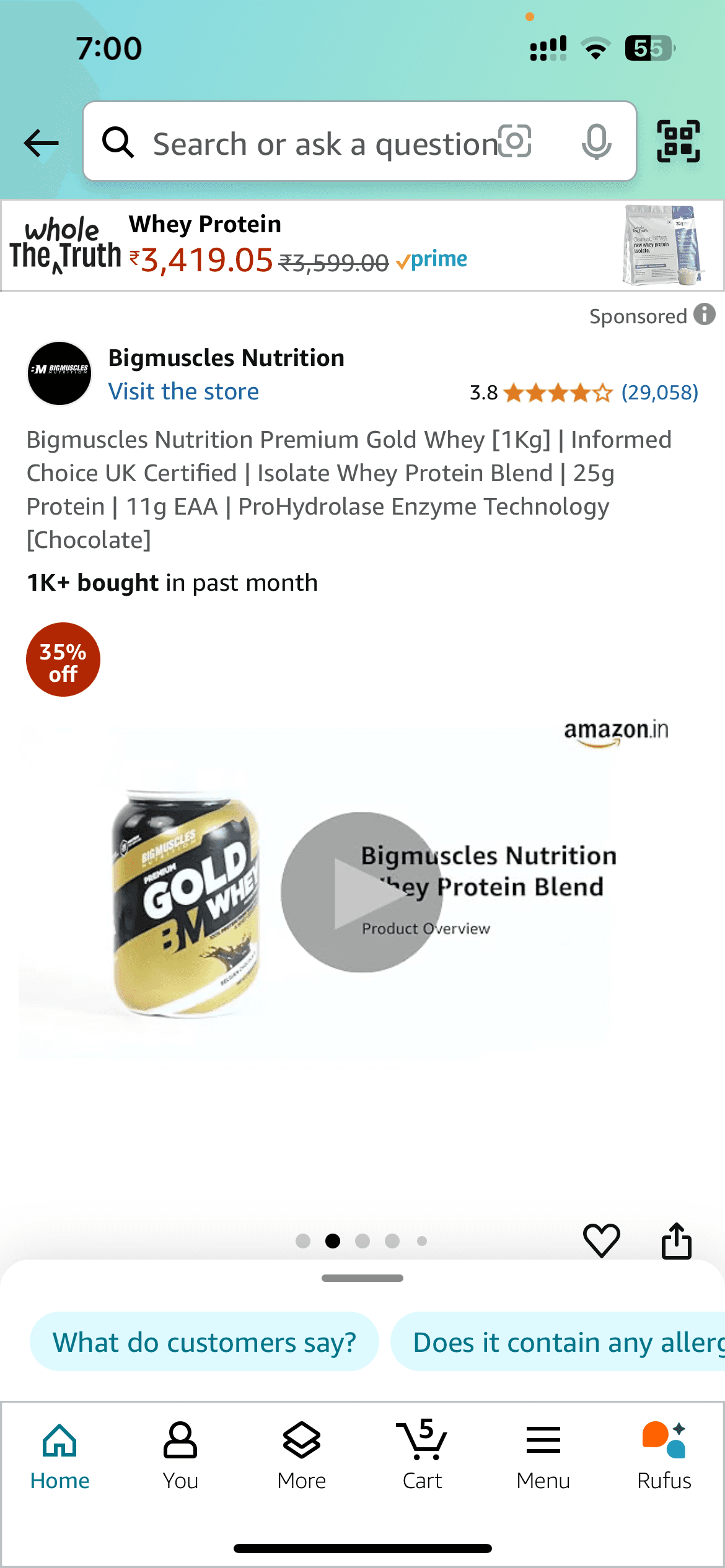
What works well

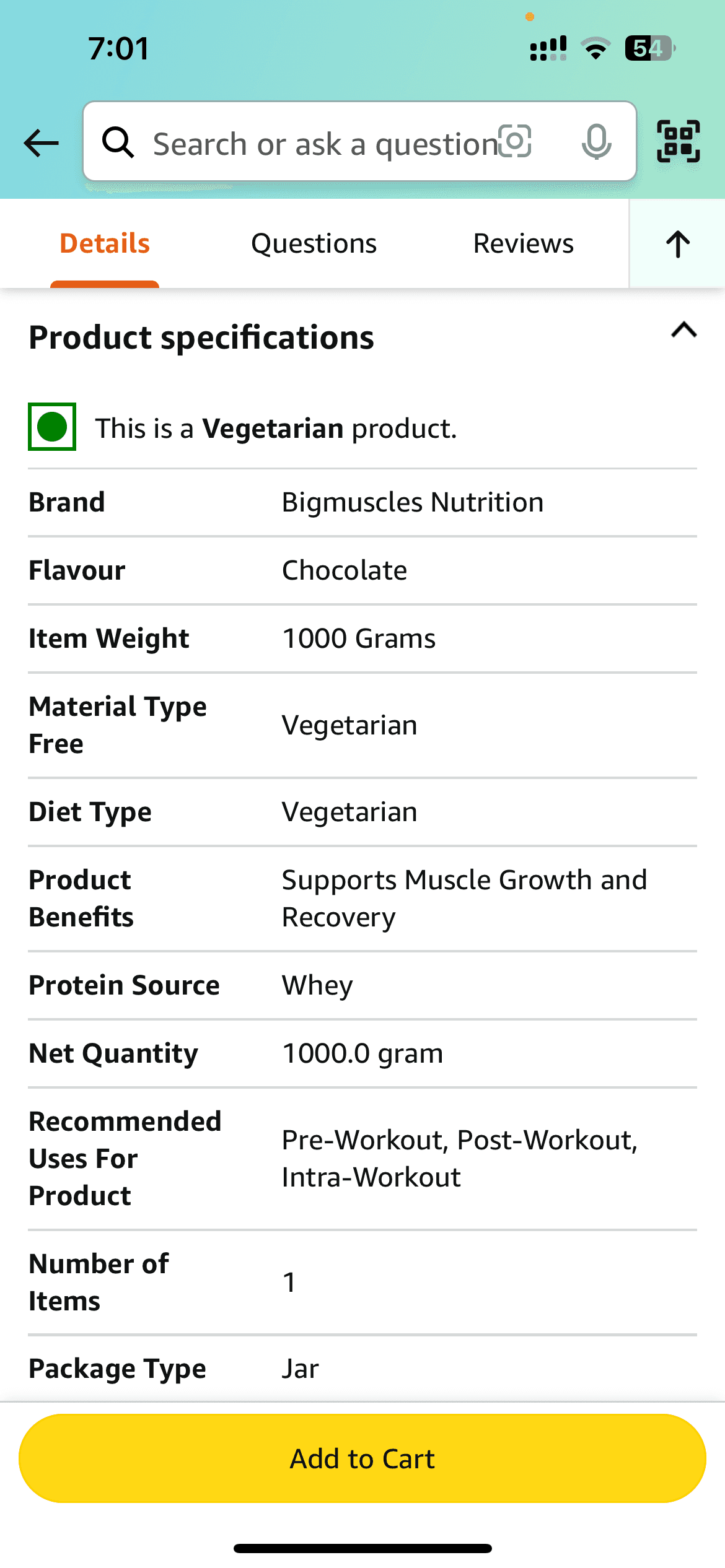
Amazon
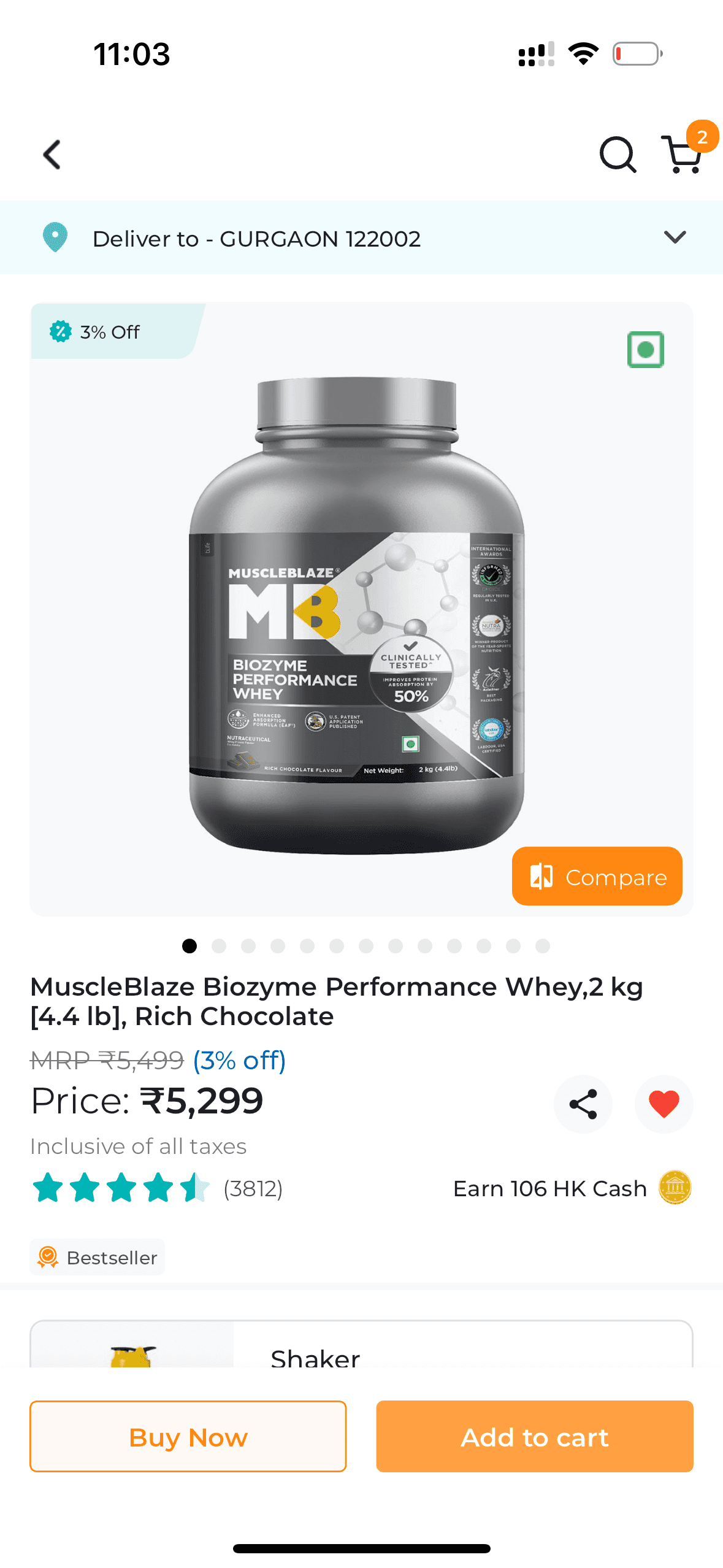
Healthkart
Amazon

Product Imagery & Hierarchy

Large, detailed images and well-placed visuals help users evaluate products instantly, without extra clicks.

Prioritizing images in the product hierarchy ensures they appear before other information, catching user attention first.

Information Accessibility

Progressive overviews allow users to skim key details quickly, reducing cognitive load.

Nutritional info is grouped or strategically displayed to support decision-making.

Discounts are highlighted in unique formats, grabbing user attention effectively.

Visually Distinct USPs

Clear visual presentation of USPs highlights product strengths effectively and attracts attention.


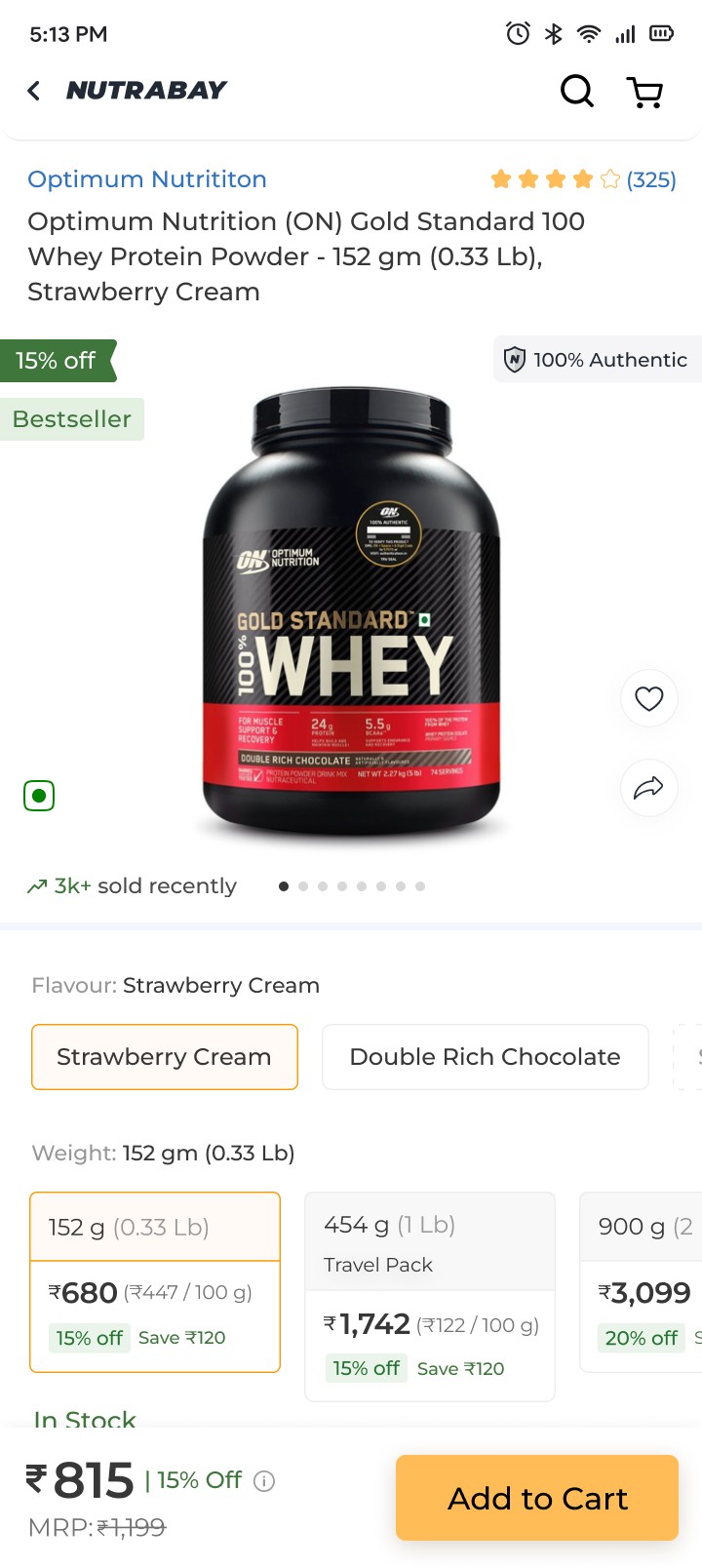
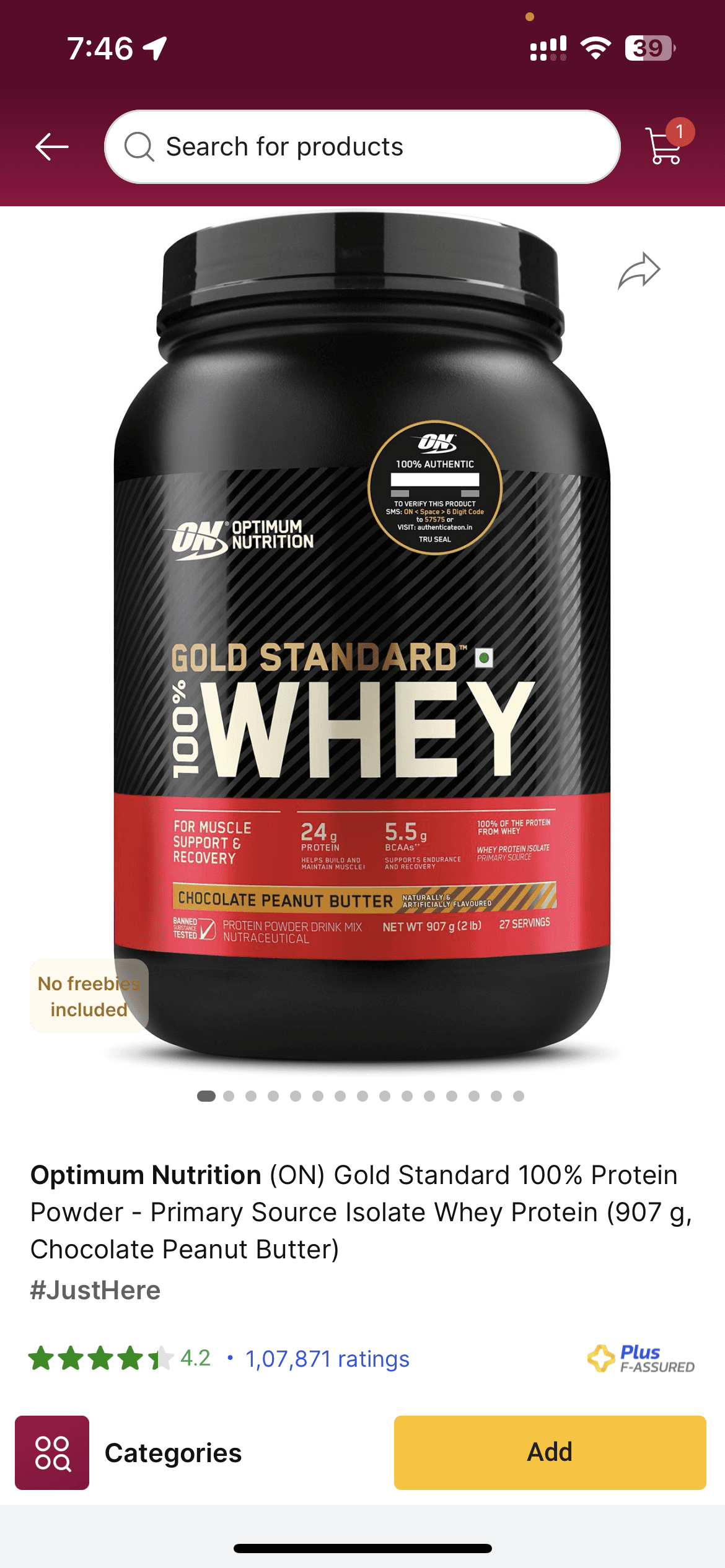
Can be improved

Flipkart
Healthkart

Optimum Nutrition

Limited First Fold Information

Large product images and poor layouts reduce the visibility of key information in the first fold, making it harder for users to get the details they need quickly.

Hidden Information

Product variants and offers are not immediately visible, requiring extra clicks or scrolling.

Flavors and weights are hidden behind additional steps, which could confuse users.

Dense or Difficult-to-Consume Details

Long product info tables and dense bullet points make it hard for users to quickly digest important information.

Final Solution
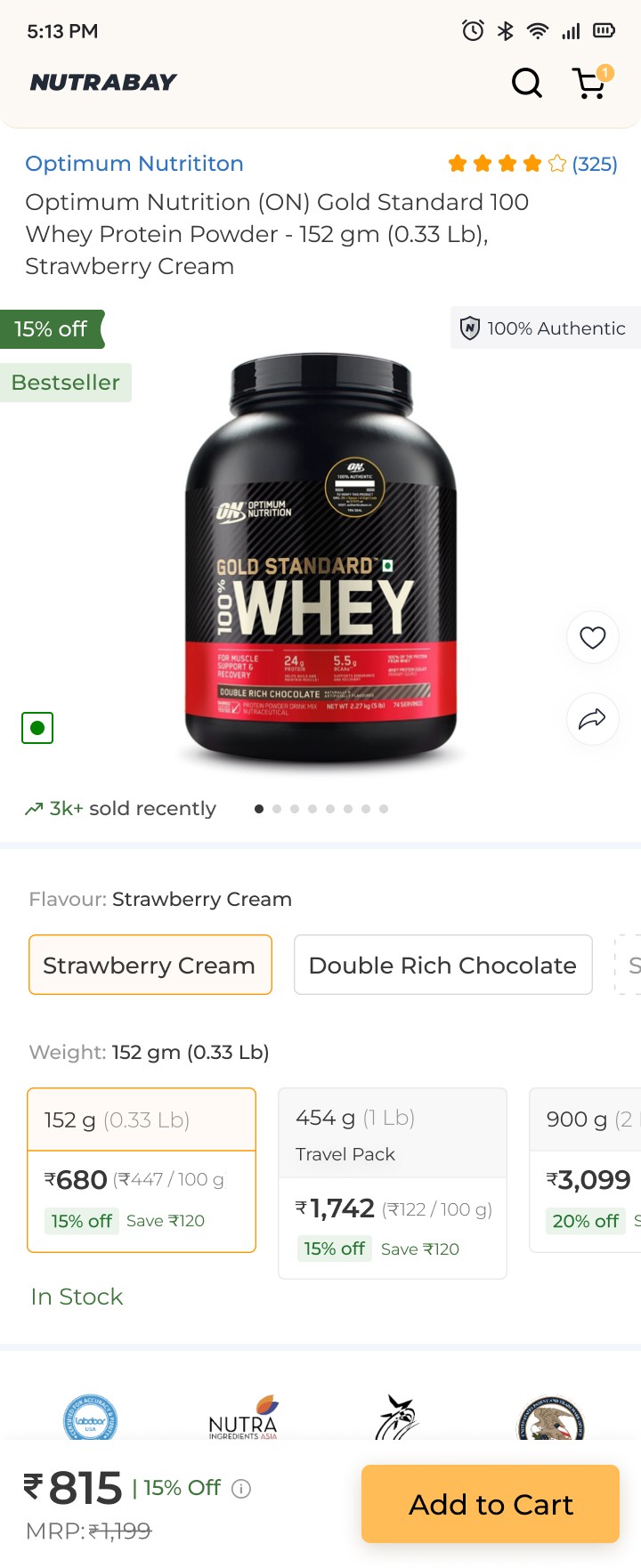
Better swatch designs
Clearly display savings for each product variant and price per 100g to help users make informed purchase decisions.

Concise Product Highlights:

Present key product benefits in a digestible format, eliminating the need to read lengthy paragraphs or lists.
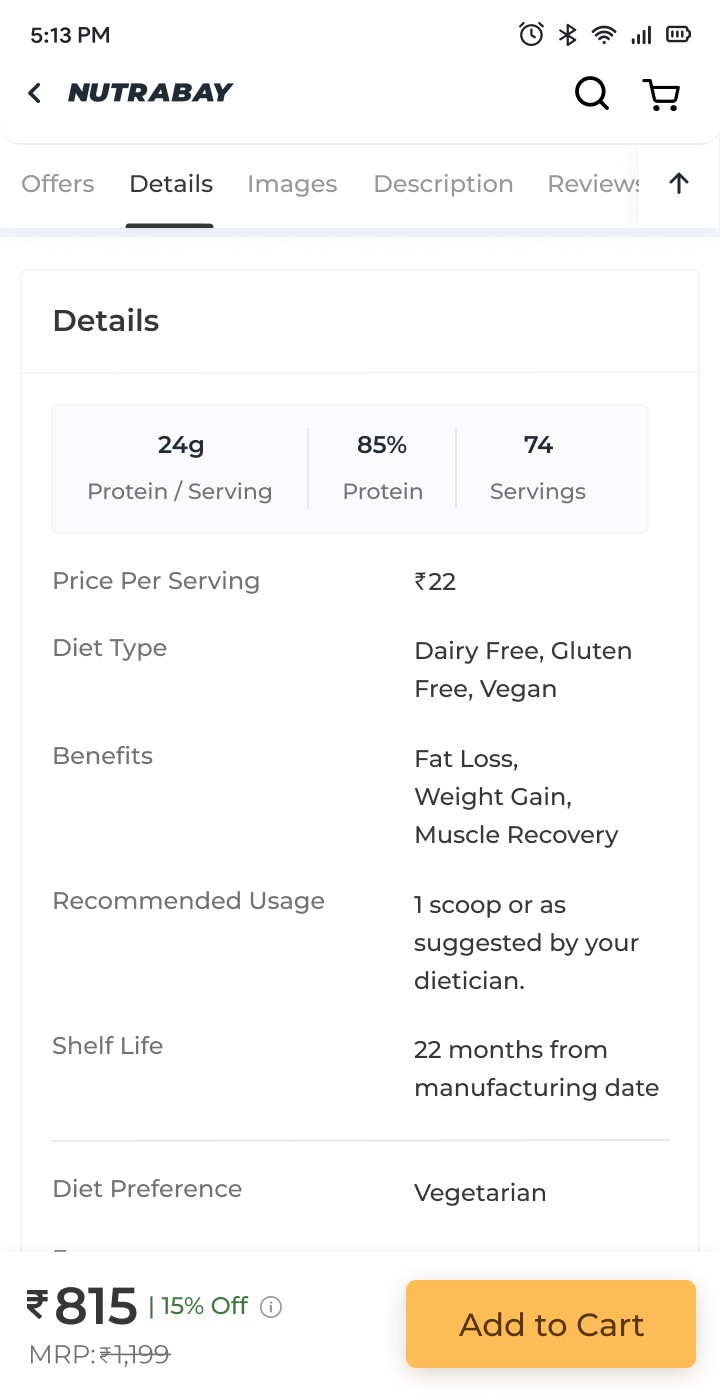
Simplified Product Info Table:

Redesign the product information table for better readability and ease of understanding.

Authenticity Through Lab Reports: Provide product lab reports to address user concerns about authenticity and build trust.
Seamless Image Browsing:

Use an open gallery format for product images, enabling users to view them without additional clicks.

Improved Navigation with Sticky Bar: Added a sticky bar with scroll-to buttons for smoother navigation and a 'Back to Top' button for quick access to the start of the page.
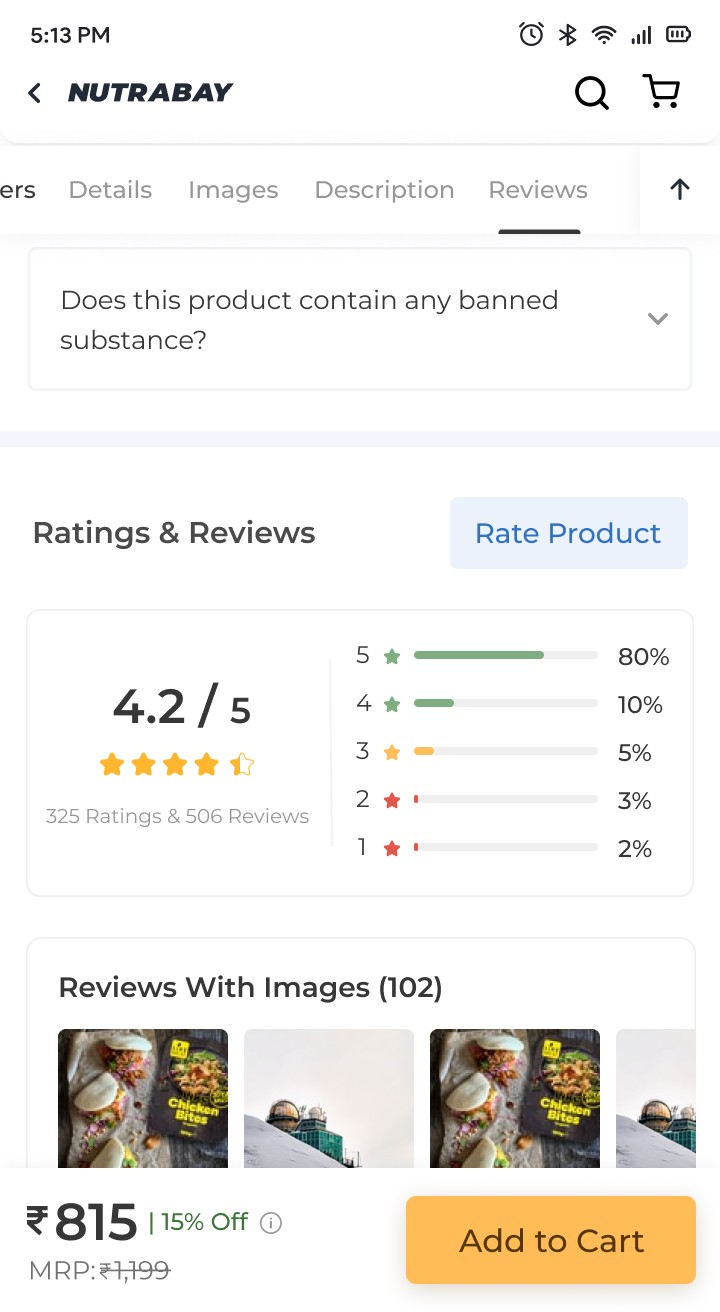
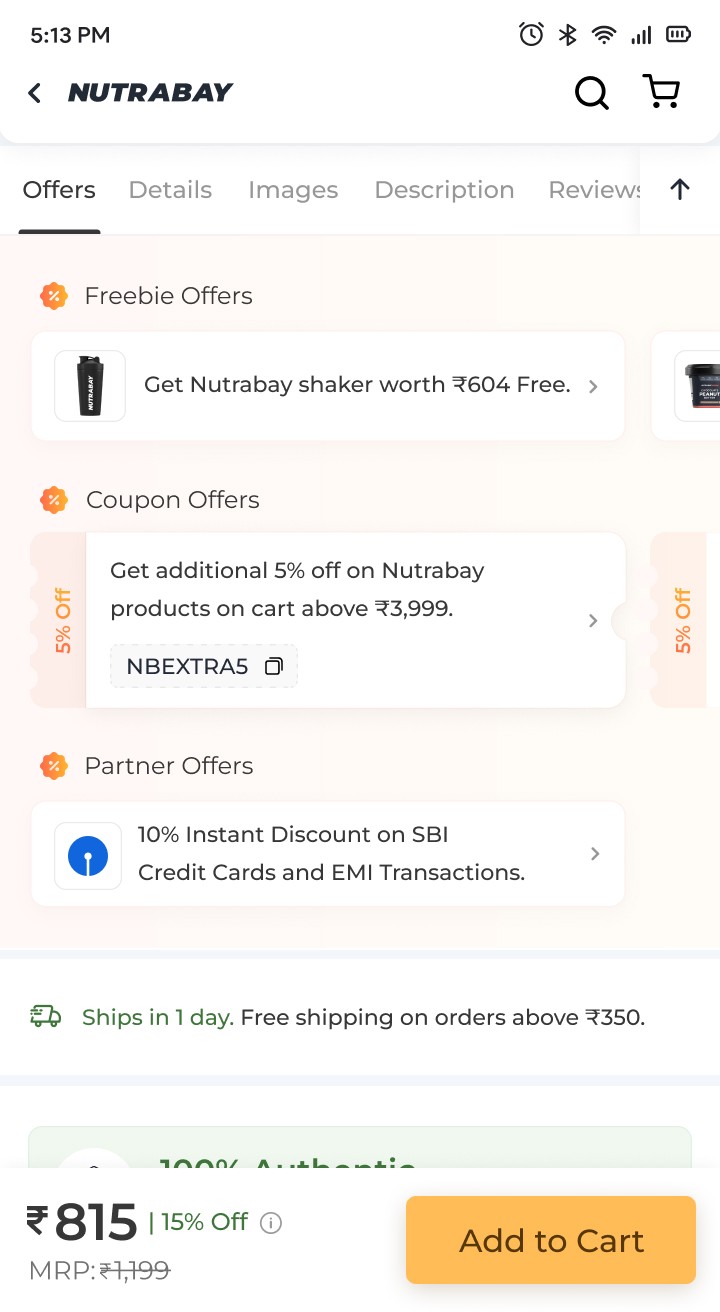
More engaging offers section

Made the offers more engaging with strategic nudges and clear categories for easier discovery. Added space and used a contrasting background color to make them unmissable

Improved ratings section

Improved review scanability with color-coded ratings. Simplified sorting with fewer clicks and precise star rating filters. Added tags for purchased product variants, enabling quicker decisions. Enhanced review card hierarchy to reduce cognitive load.
Help the user reach their purchase as seamlessly as possible in least amount of time by obtaining user friendly practices.

Create a free website with Framer, the website builder loved by startups, designers and agencies.