Merch Gallery Revamp
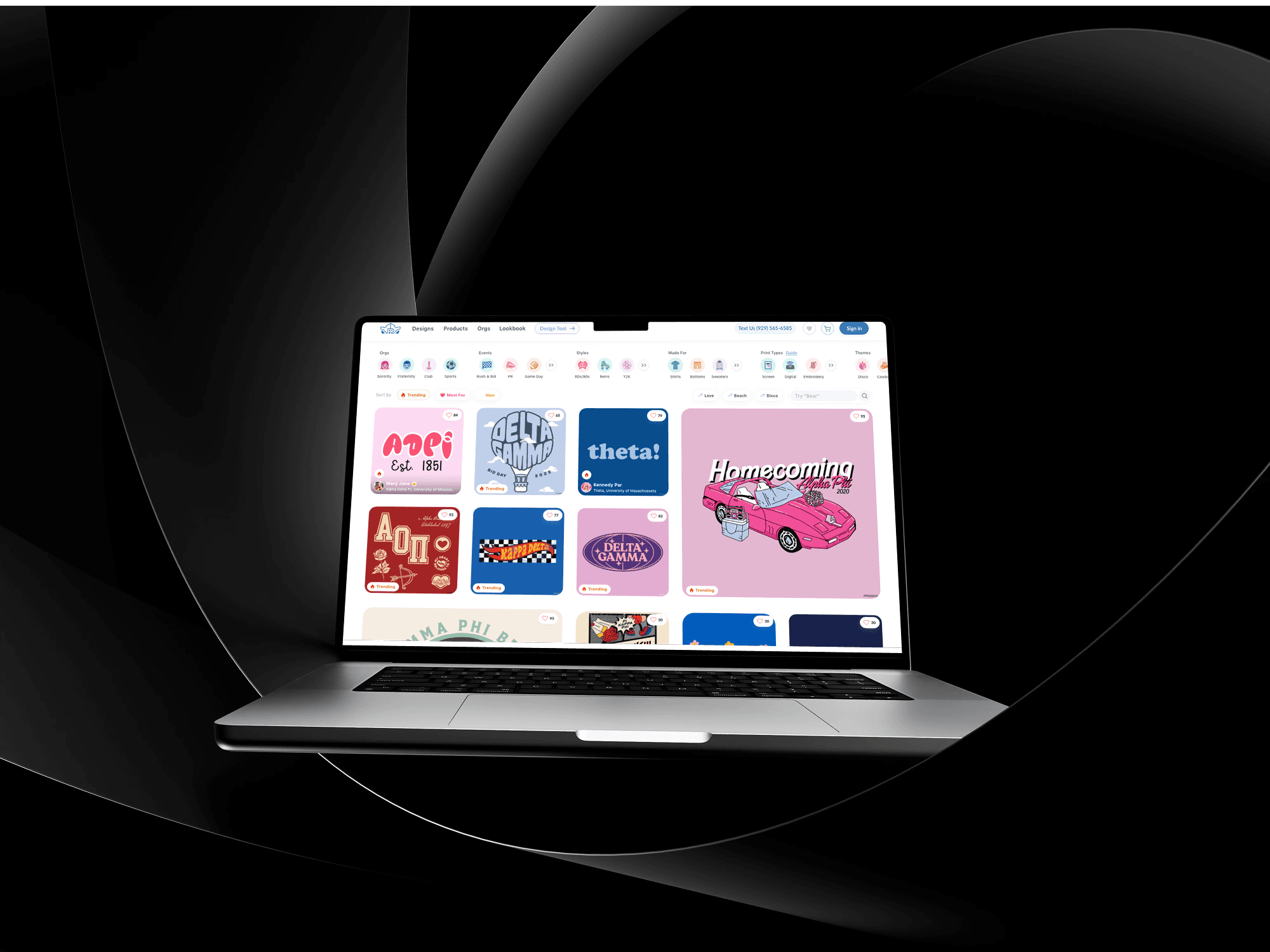
Find your favorite merch quickly
Role
UI & UX Design
Team Size
2 UX/UI Designers, one design director, 1 product manager.
Project Length
2-3 Months
Date
July 2023
Primary Problem Statement
Over 70% of the users who come to the design gallery do not click on any designs.
Results
The end result is a user-friendly and scalable loyalty module that makes it easy for users to shop cool merch
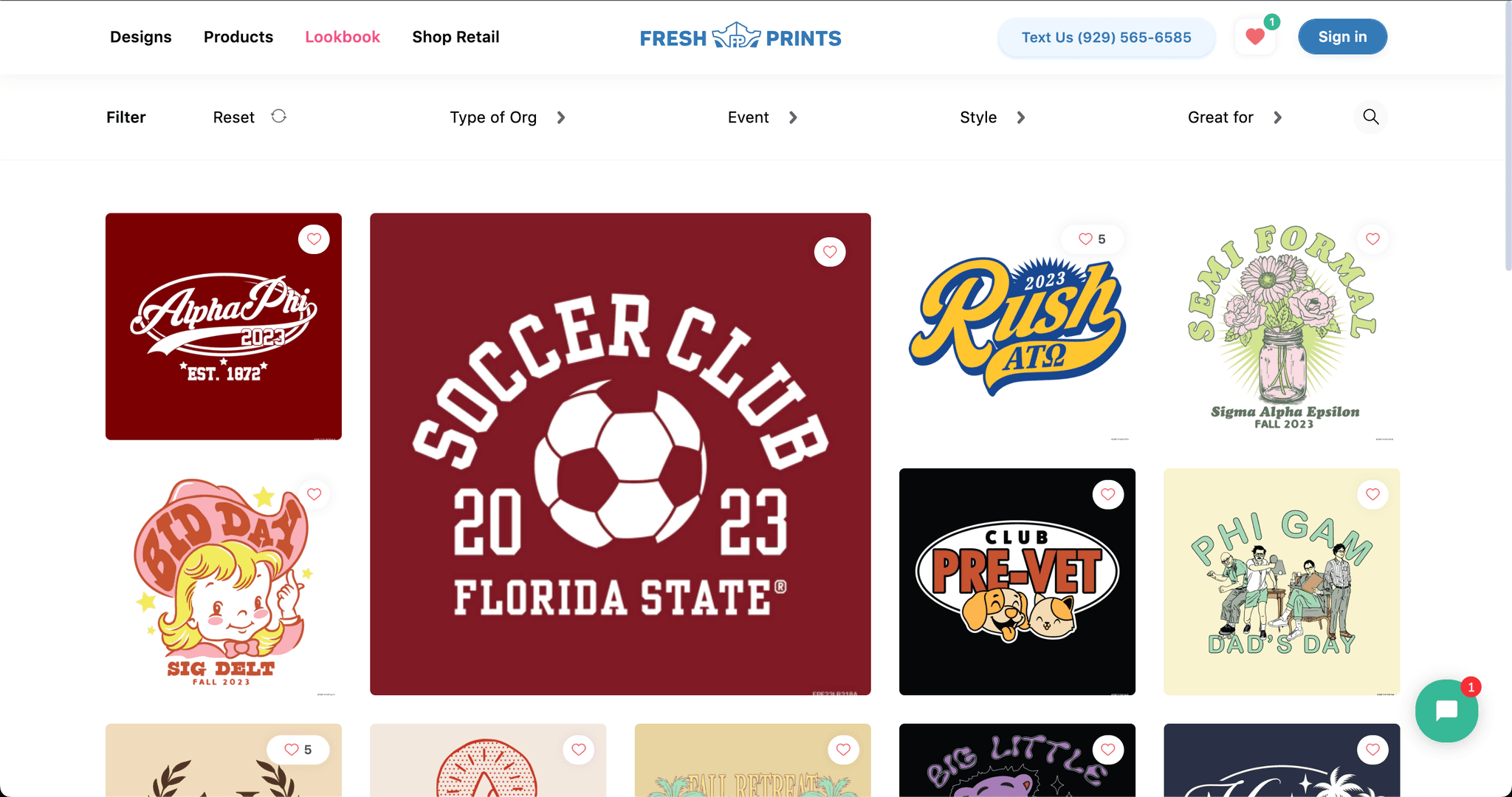
Old Design
UX Audit
People don’t really use the design gallery filters but using them 2x your likelihood of clicking on a design
Using filters boosts user clicks to 50%, compared to 23% without them, moreover over half of the focus group was unaware of the designs for various events and clothing types.
Many users were unaware of the different print methods available. This suggests that filters might be underused because they are hidden and not easily discoverable.
Favoriting isn't optimized for mobile.
The heart icon is too small, making it hard to click. Only 1.4% of users favorite designs on mobile, but 62% of them click on the design afterward—a low favorite rate but high engagement post-click.
Top fold of the design gallery doesn't show relevant designs
Most of the designs displayed in th top fold is not relevant to the user as they are very static and user's choice keeps on changing.
Users expect sorting features on e-commerce sites to customize content, and their absence leads to drop-offs. As a standard practice, lacking this feature reduces trust, as users are accustomed to it on other websites.
There is no personalized content available based on user preferences, and no design suggestions are provided to help users discover content more efficiently.
Very little social proof to help you feel confident in the trendiness of our designs.
The younger gen of 2023 trusts social proof as a testament to our trendiness, they trust social proof on social proof and numbers they can see.
This also contributes to the 38% dropoff rates from the design gallery page as users are not excited about our designs and trust that these are the trendiest designs out there.
Design Details Missing in Mobile Gallery
There is no way to see the details of designs on the mobile gallery. To see the zoomed-in design, users have to switch between the DSP and gallery, which creates frustration.
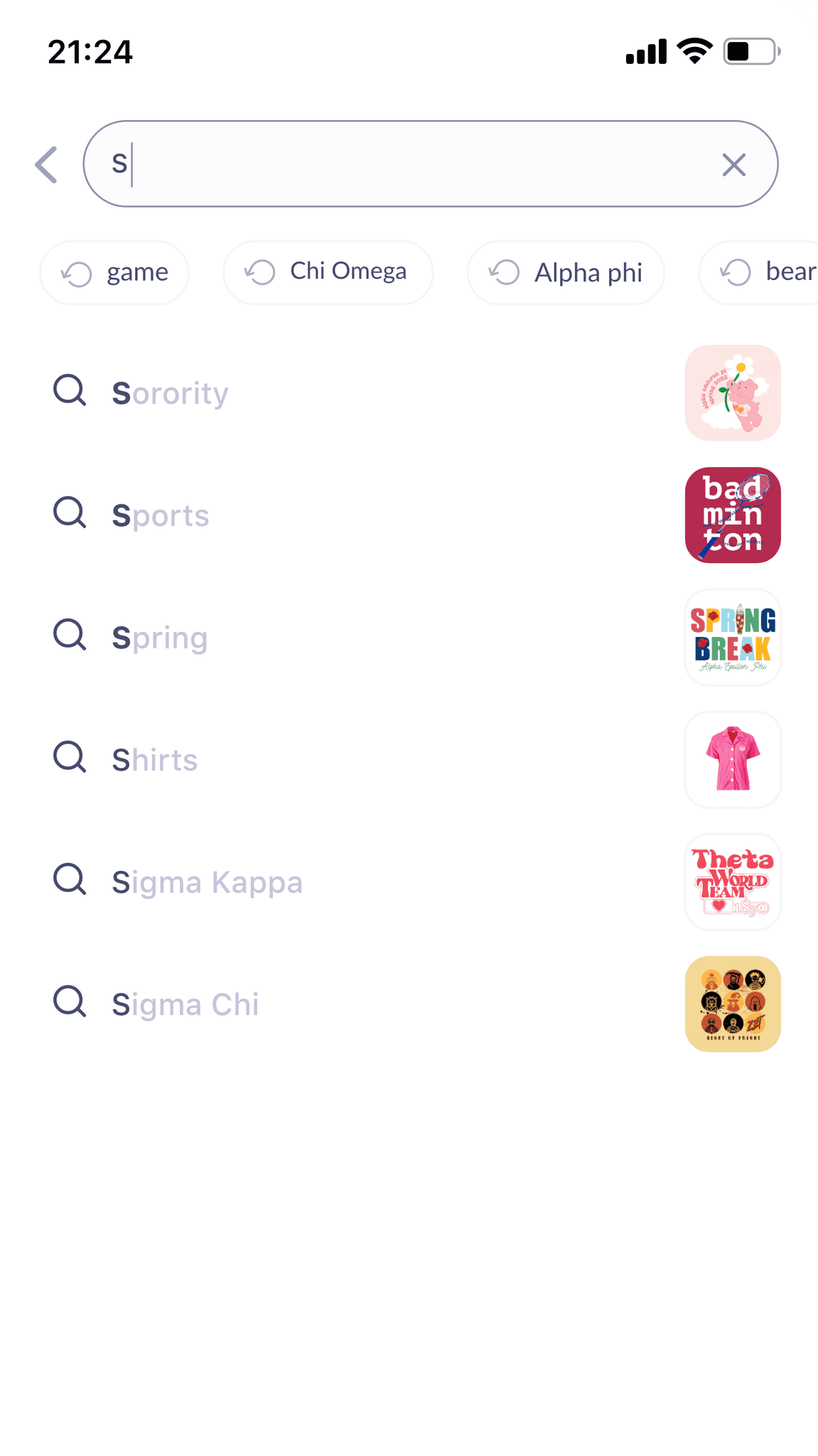
The search bar is not easy to use
The search bar lacks word suggestions based on user input and only shows one search history option, unlike other sites that display 5-6 recent searches.
Final Solution
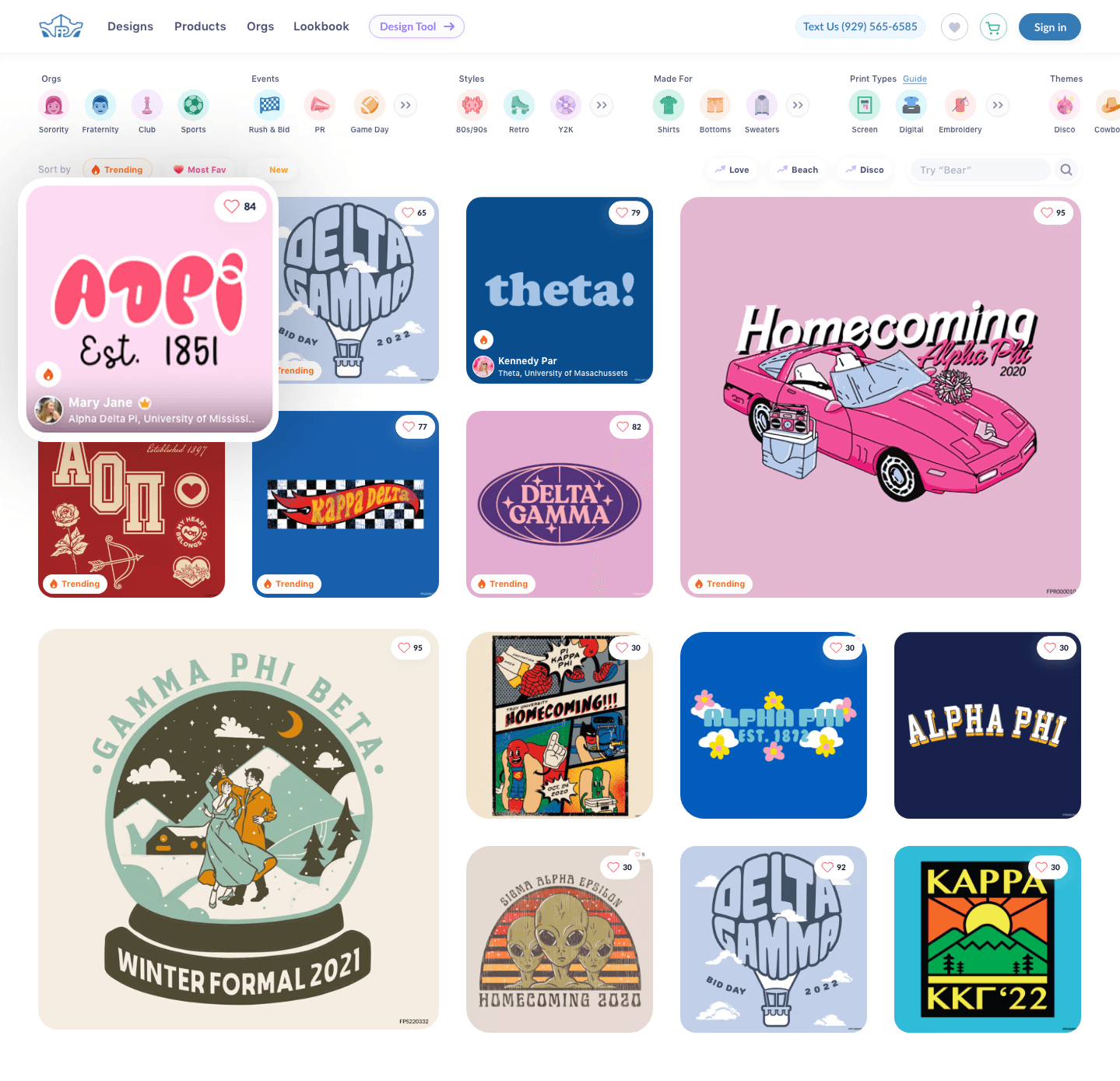
Push users to use filters
Removed filter options from a button for easier access
Made top-used filters easily visible for a one-tap experience
Added icons for faster filter recognition
Displayed the top 3 filters of each type to reduce scrolling
Prioritized popular filters based on data, with additional options behind a "more" button
Add social proof
Showing most to least trending designs and by default
Apart from trending users can see most to least favorited design by other users, and new designs to show we continuously keep up with the trends.
On hover users can see UGC pictures of the design worn by other users
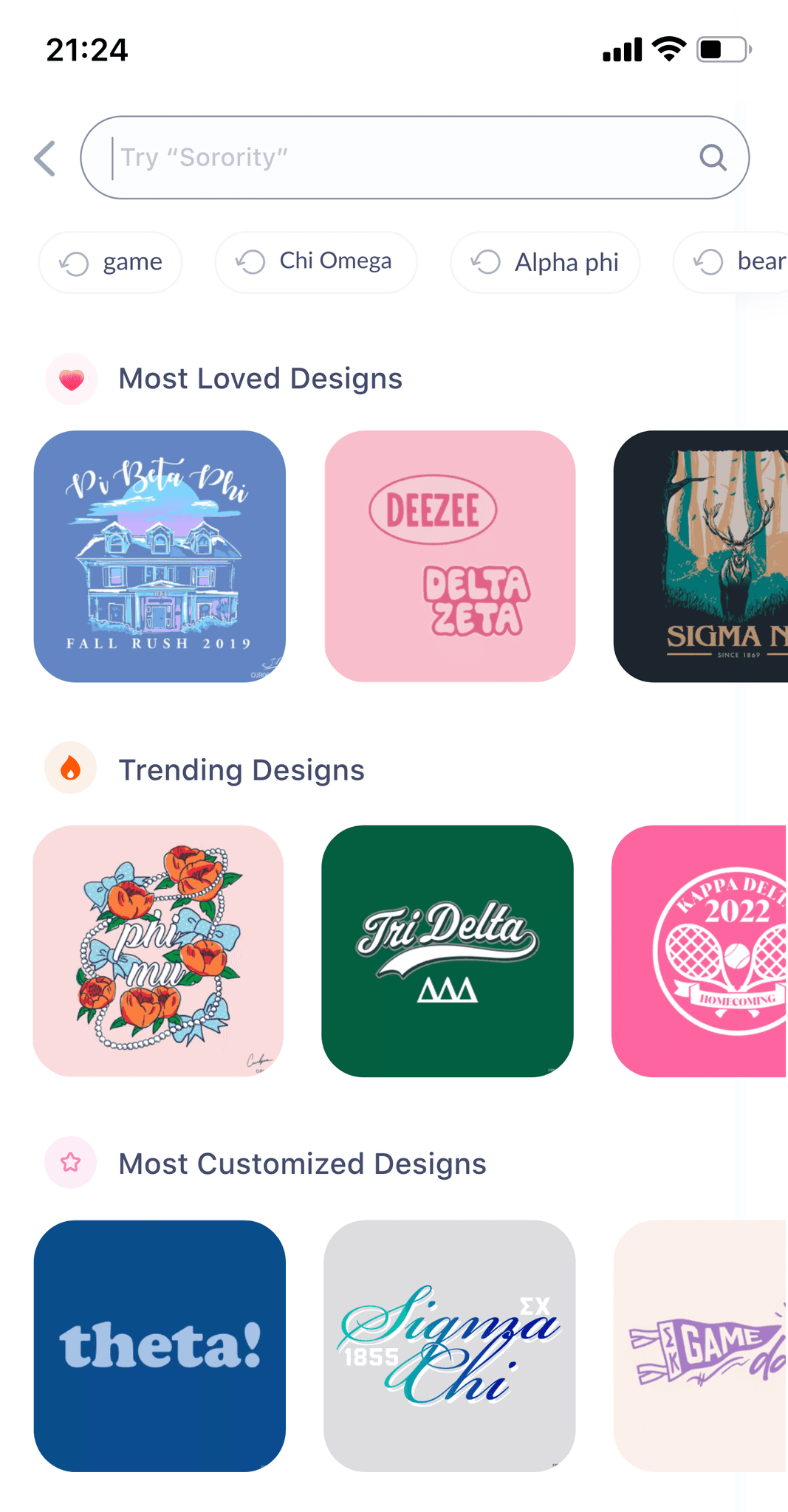
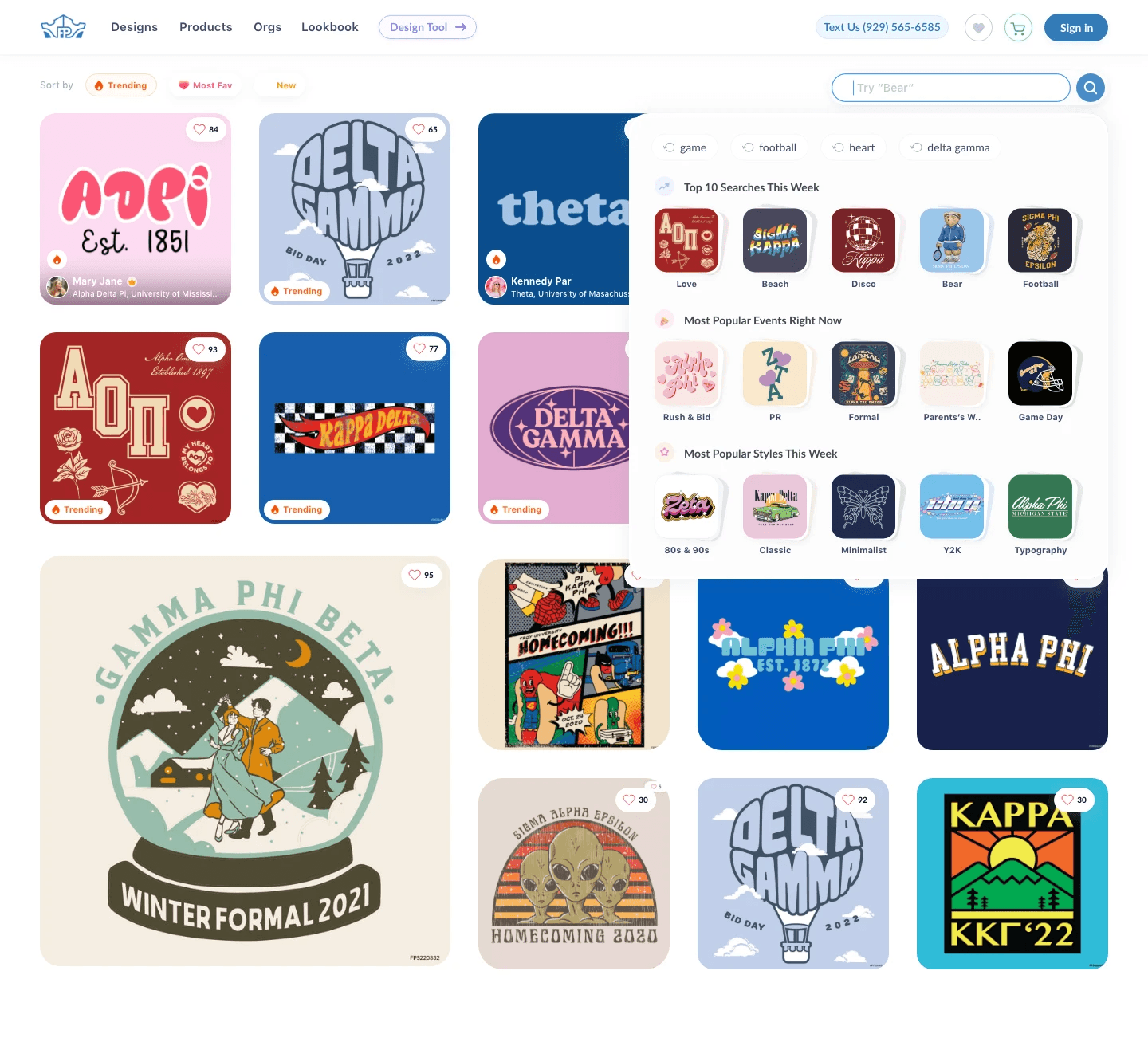
Make Search bar easy to use
Using Algolia, we added autofill for relevant search terms and typo corrections to speed up searching.
Display actual design visuals next to search results for better clarity
Show more previous search terms to help users resume their search
Suggest curated design collections like trending styles and top events
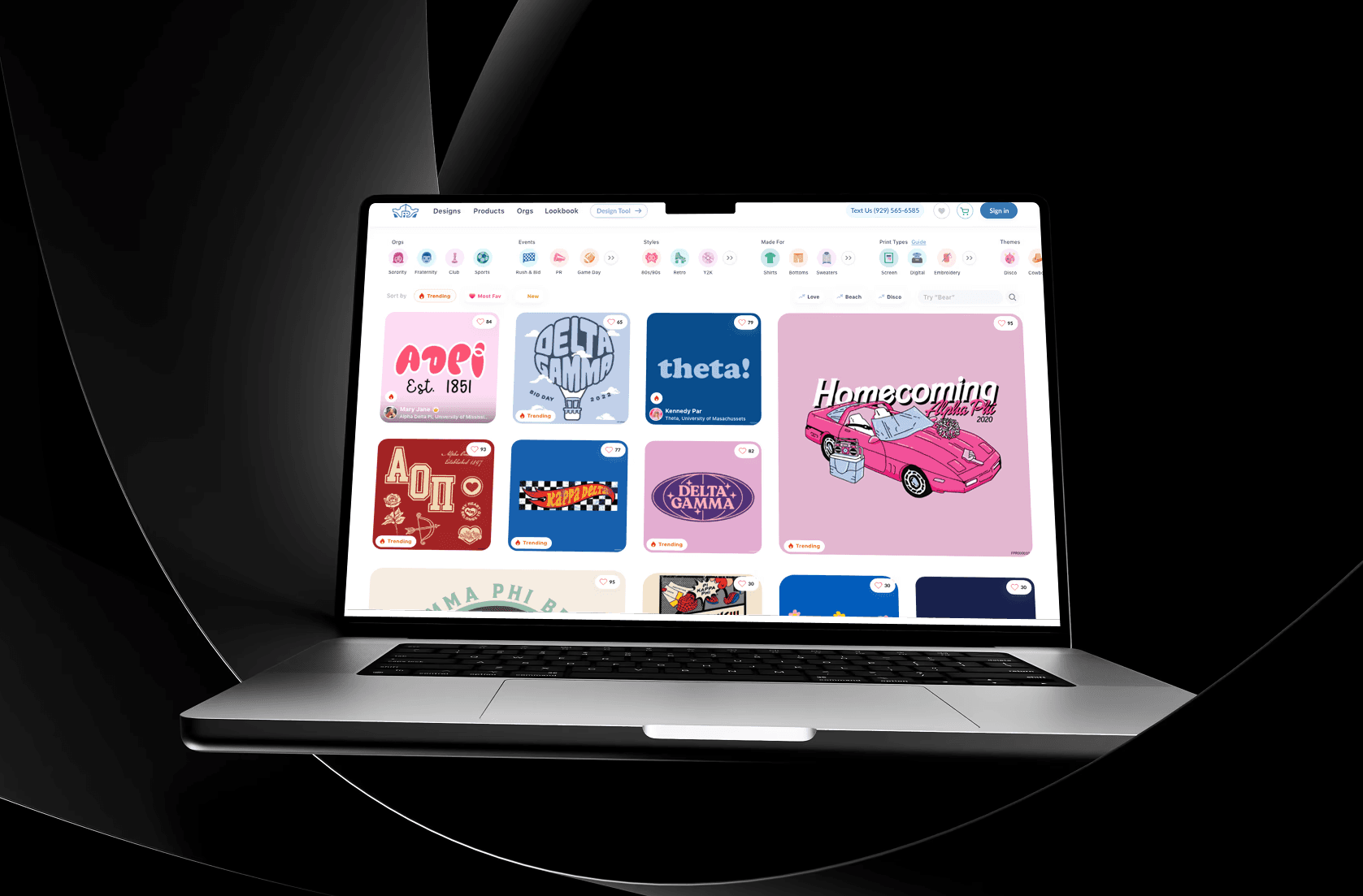
Help the user reach their purchase as seamlessly as possible in least amount of time by obtaining user friendly practices.
Merch Gallery Revamp
Merch Gallery Revamp
Role
UI & UX Design
Team Size
One designer(Me), one design director, one product manager.
Project Length
2-3 Months
Date
July 2023
Primary Problem Statement
Over 70% of the users who come to the design gallery do not click on any designs.
Results
The end result is a user-friendly and scalable loyalty module that makes it easy for users to shop cool merch
Old Design
UX Audit
People don’t really use the design gallery filters but using them 2x your likelihood of clicking on a design
Using filters boosts user clicks to 50%, compared to 23% without them, moreover over half of the focus group was unaware of the designs for various events and clothing types.
Many users were unaware of the different print methods available. This suggests that filters might be underused because they are hidden and not easily discoverable.
Favoriting isn't optimized for mobile.
Using filters boosts user clicks to 50%, compared to 23% without them, moreover over half of the focus group was unaware of the designs for various events and clothing types.
Many users were unaware of the different print methods available. This suggests that filters might be underused because they are hidden and not easily discoverable.
Top fold of the design gallery doesn't show relevant designs
Most of the designs displayed in th top fold is not relevant to the user as they are very static and user's choice keeps on changing.
Users expect sorting features on e-commerce sites to customize content, and their absence leads to drop-offs. As a standard practice, lacking this feature reduces trust, as users are accustomed to it on other websites.
There is no personalized content available based on user preferences, and no design suggestions are provided to help users discover content more efficiently.
Very little social proof to help you feel confident in the trendiness of our designs.
The younger gen of 2023 trusts social proof as a testament to our trendiness, they trust social proof on social proof and numbers they can see.
This also contributes to the 38% dropoff rates from the design gallery page as users are not excited about our designs and trust that these are the trendiest designs out there.
Design Details Missing in Mobile Gallery
There is no way to see the details of designs on the mobile gallery. To see the zoomed-in design, users have to switch between the DSP and gallery, which creates frustration.
The search bar is not easy to use
The search bar lacks word suggestions based on user input and only shows one search history option, unlike other sites that display 5-6 recent searches.
Final Solution
Push users to use filters
Removed filter options from a button for easier access
Made top-used filters easily visible for a one-tap experience
Added icons for faster filter recognition
Displayed the top 3 filters of each type to reduce scrolling
Prioritized popular filters based on data, with additional options behind a "more" button
Add social proof
Removed filter options from a button for easier access
Made top-used filters easily visible for a one-tap experience
Added icons for faster filter recognition
Displayed the top 3 filters of each type to reduce scrolling
Prioritized popular filters based on data, with additional options behind a "more" button
Make Search bar easy to use
Using Algolia, we added autofill for relevant search terms and typo corrections to speed up searching.
Display actual design visuals next to search results for better clarity
Show more previous search terms to help users resume their search
Suggest curated design collections like trending styles and top events