Reimagining the Chefkart Partner's App
Designing for the Next Billion Users
Role
UI & UX Design
Team Size
A Lead Designer(Me)
team of product managers.
Project Length
2-3 Months
Date
December 2022
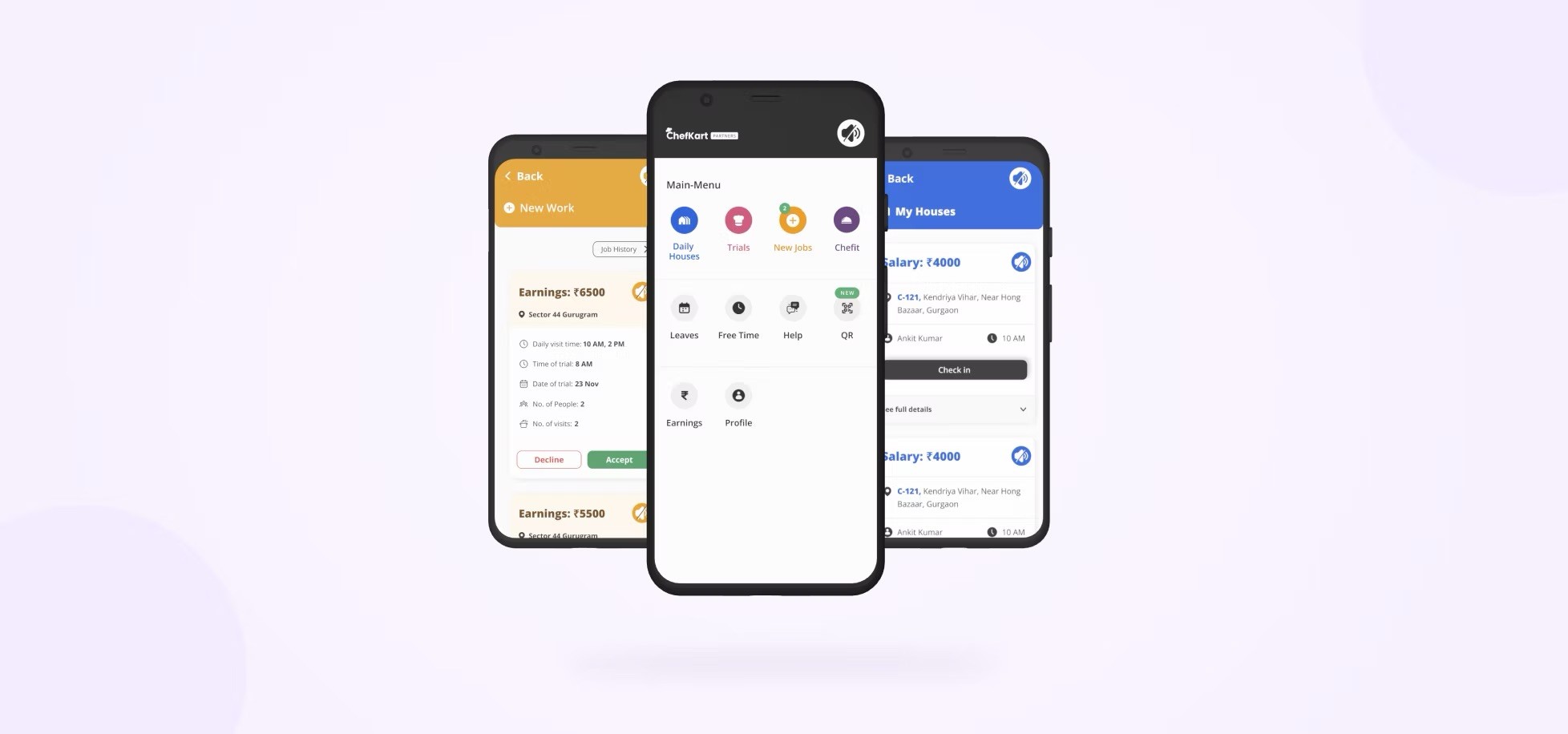
The Chefkart partner app is an app that allows home cooks to apply for and manage home cooking jobs. Apart from this, the cook can also track and transfer their daily income.
Revamp Overview
ChefKart's Partner App, essential for daily tasks, needed a redesign due to poor usability, confusing navigation, high drop-off rates, and limited scalability for growth.
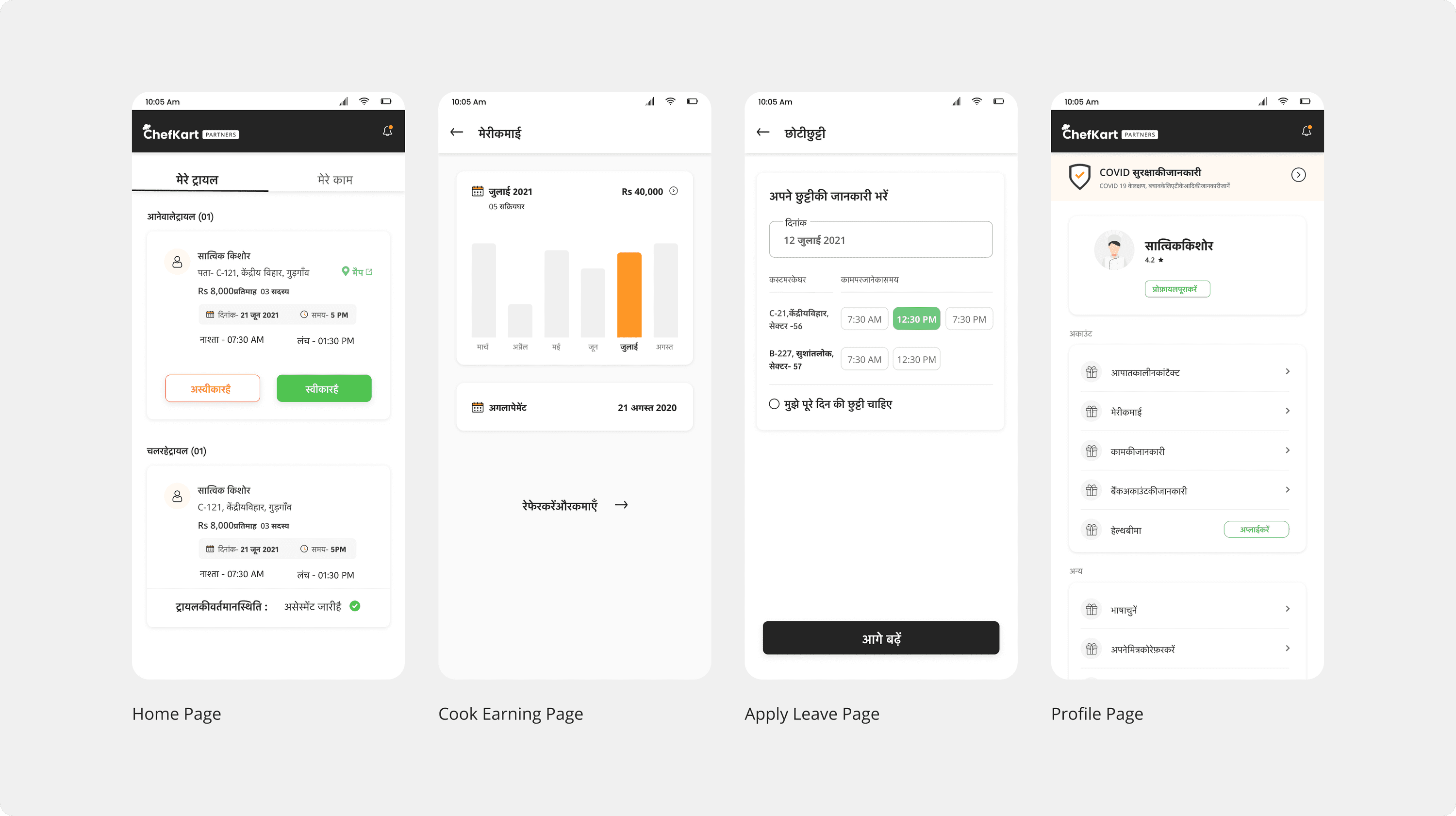
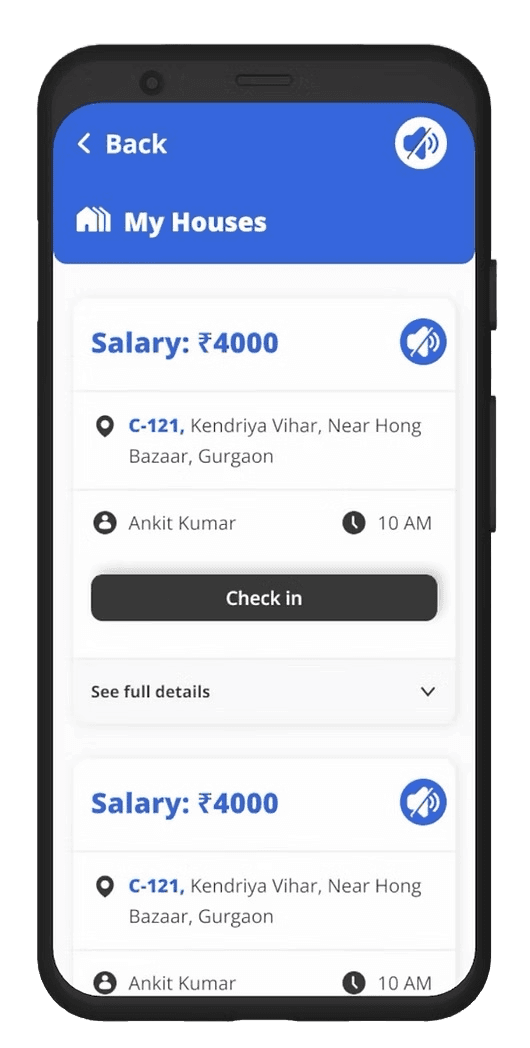
Old Designs
The Problem Statement
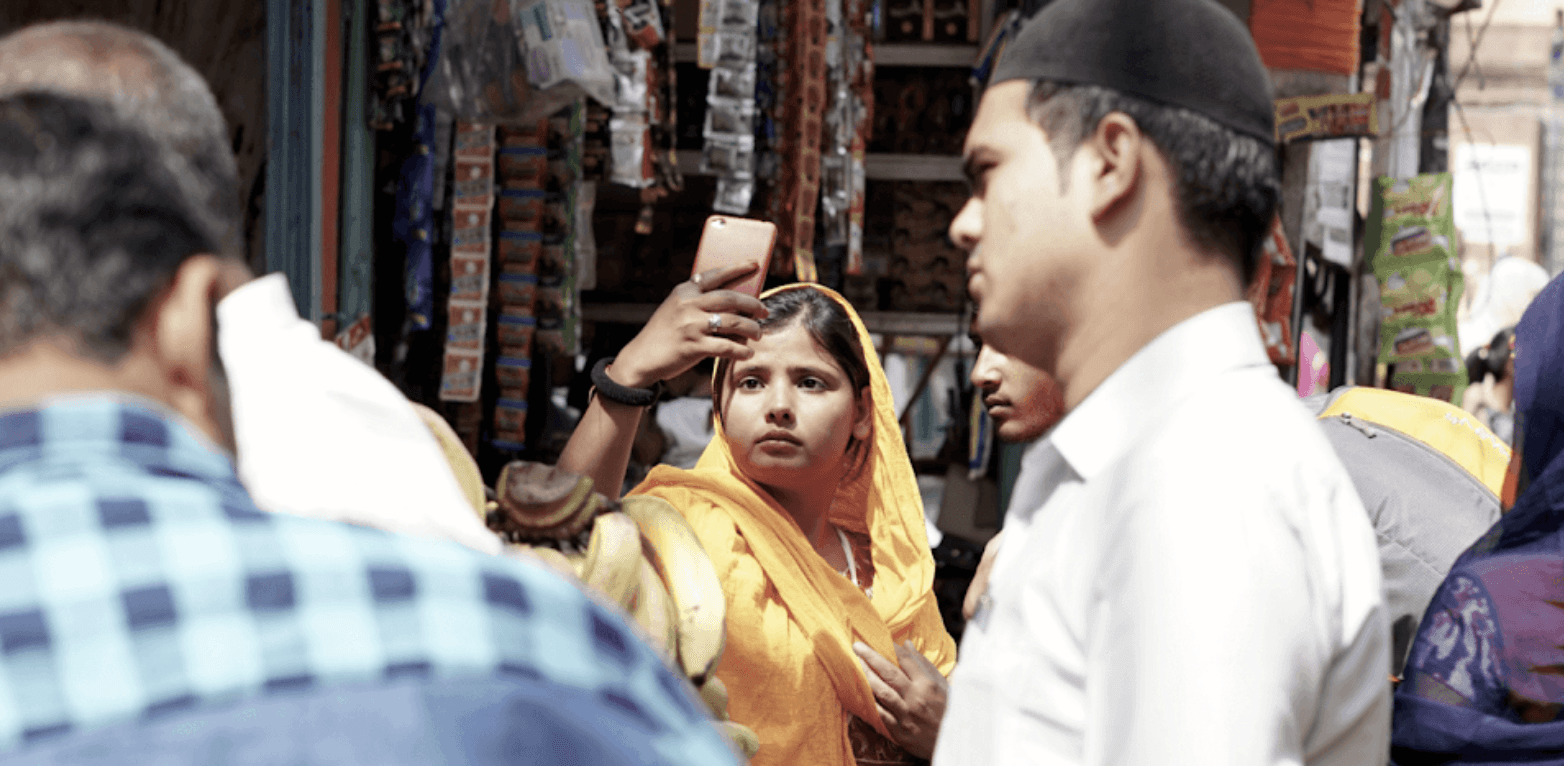
The app faced low adoption as users struggled to complete their daily tasks. Navigation was particularly challenging for those less experienced with smartphones, making the app harder to use.
"This is the first time I'm using a smartphone"
Results and impact
40%
Increased user adoption
50%
Decreased Cognitive load
The app revamp established a scalable platform that enabled cooks to complete their daily tasks effortlessly, reducing their anxiety while using the app. It also laid a strong foundation for integrating upcoming features seamlessly.
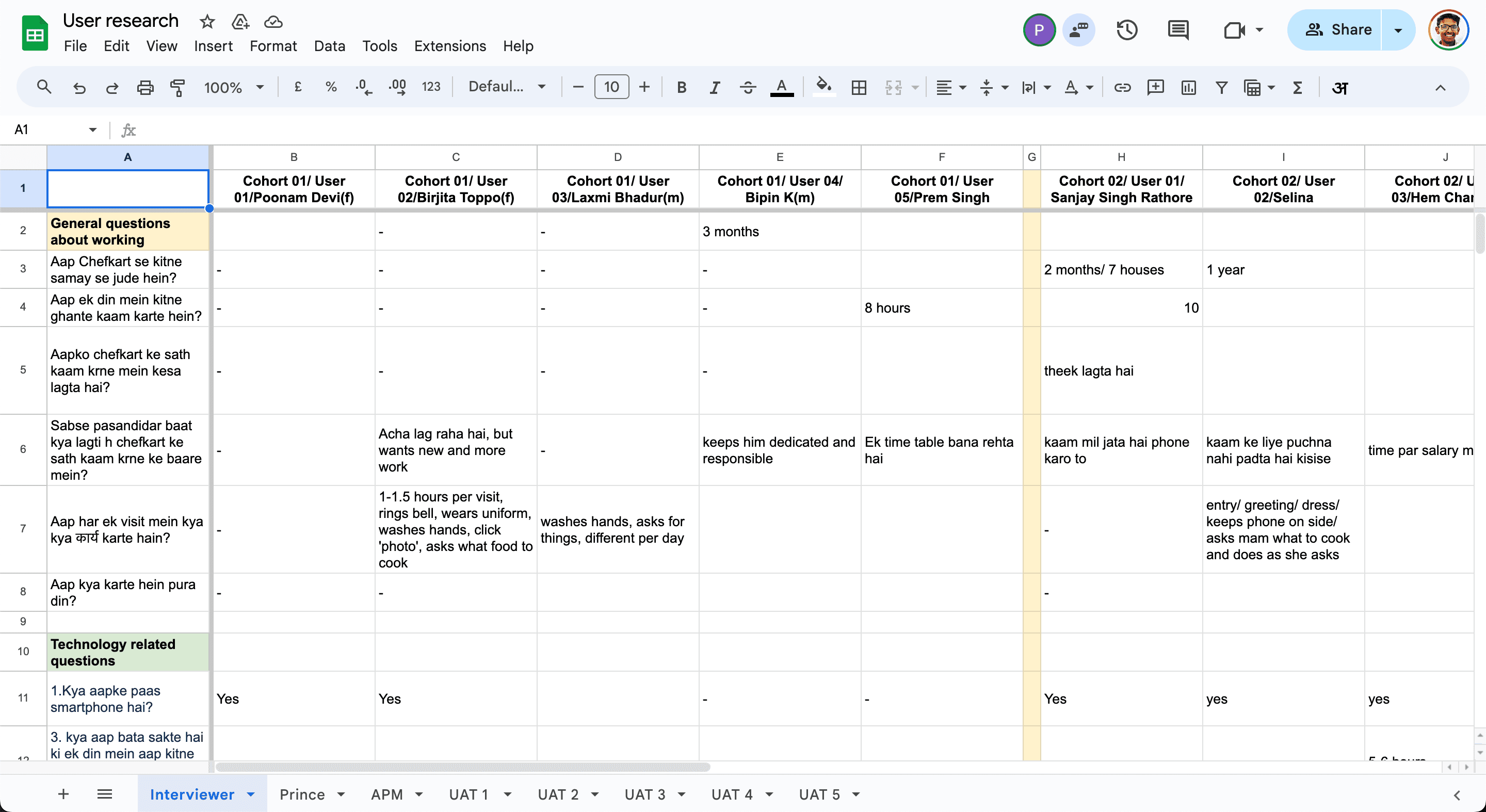
Research Methods Used

S
Insights from research
50%
Users could not
read in any language
25%
Can read in either
Hindi or English
65%
Consisted of
female users
"I ask my kids to read new job details"
"If you will teach me, I will learn to use it"
"I am not literate enough to read and understand this"
"Reading is difficult, can’t I hear it like Whatsapp?"
How do we design a great UX for first-time smartphone users with limited literacy, unfamiliar with common UX patterns, while ensuring scalability?
The Challenge?
The Final Solution
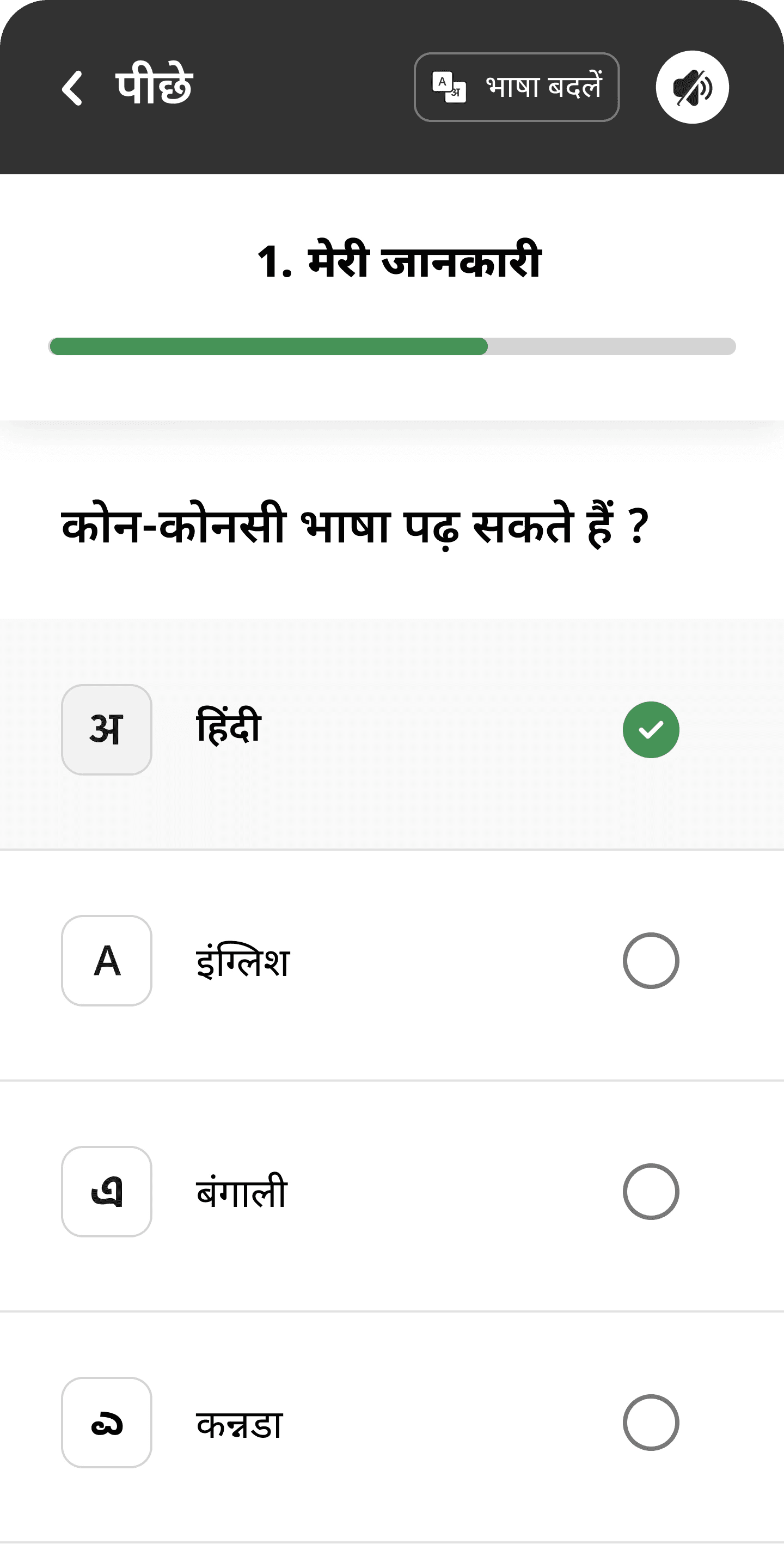
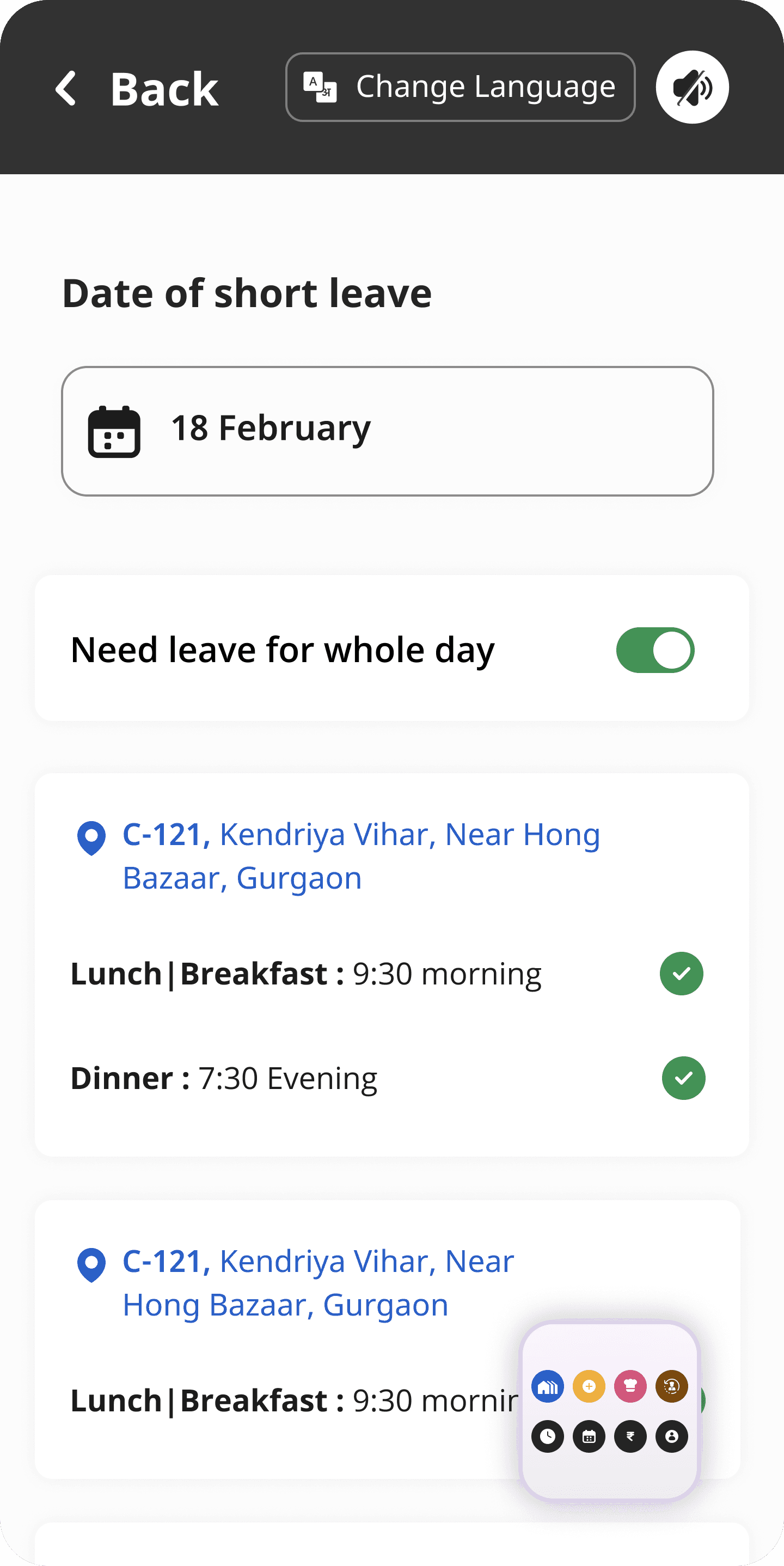
After brainstorming on a few initial solutions, and outing all the solutions that did not do well with this users we took lesrnings from those usability sessions and reach the final solution.
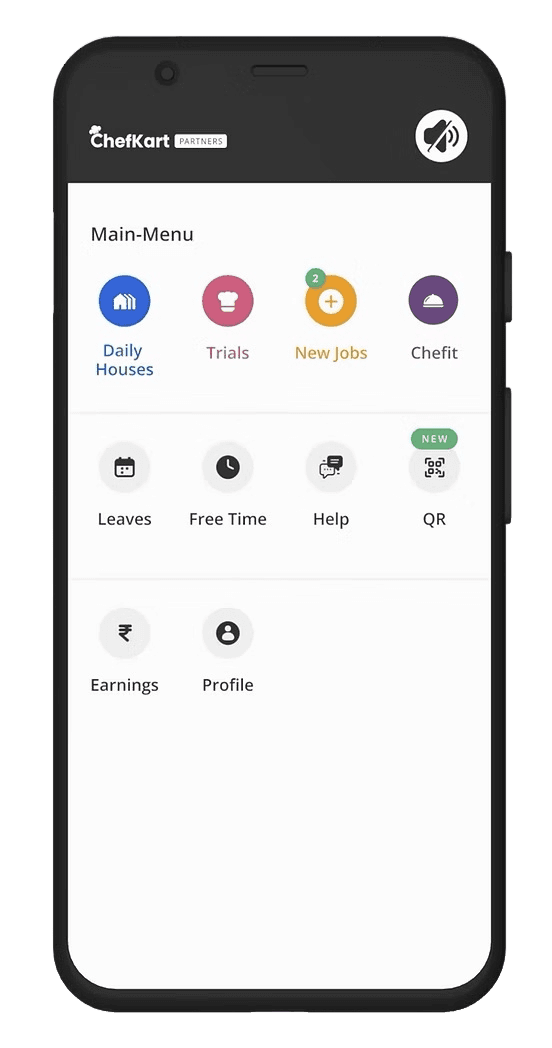
Predictable
Simplify the flow with no hidden layers, consolidating all work-related elements in one accessible place. Keep all actionable items in a centralized location.
Communicating through colors:
Assign colors to key items for high recall value, aiding users who may have difficulty reading. This will also add even more value when the cooks are trained to use the app.
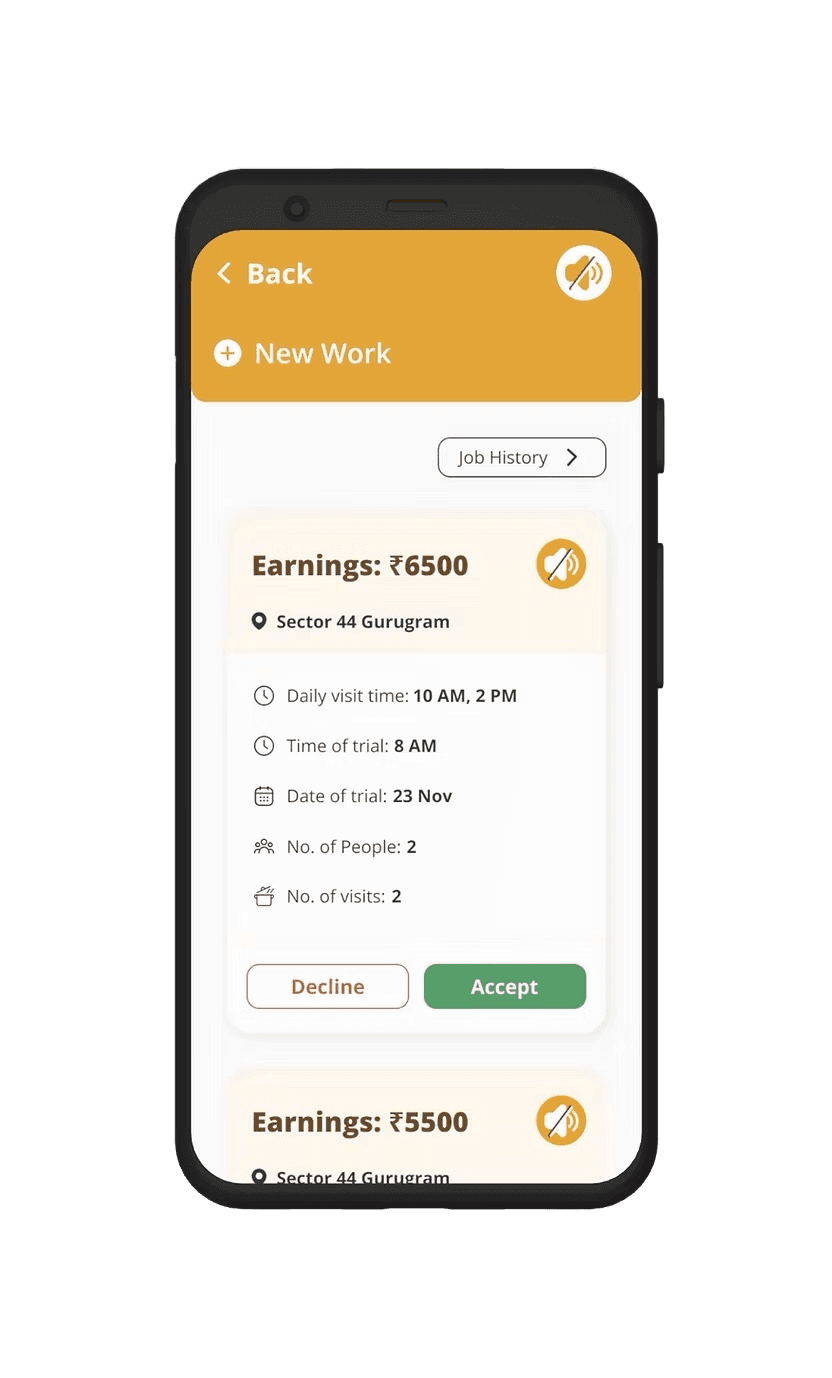
Pairs visuals with words to reinforce meaning
Utilize visuals alongside words to enhance communication with our users.
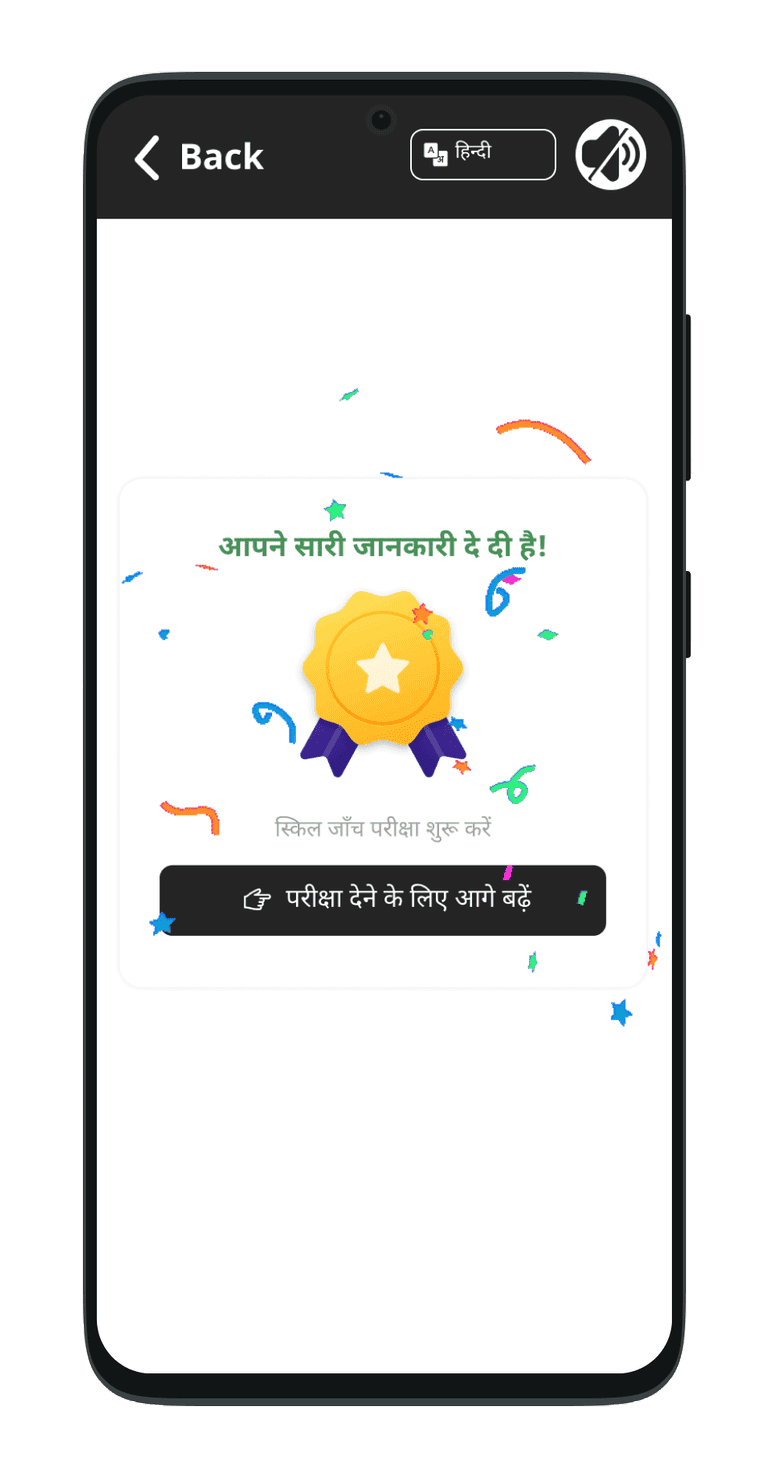
Celebrate them:
Recognize and appreciate small achievements by incorporating kudos and thumb-ups for completing daily tasks.
Key Learnings
Scalability of Solution
The solution had to serve as a solid foundation for future features, ensuring scalability and flexibility to meet growing and evolving user needs.Leading Research
As an independent designer, I learned to organize user interviews, select participants, and extract meaningful insights.Learned about NBU
Research on the 'Next Billion Users' provided insights into the mental models of individuals with low literacy and limited smartphone skills.
Designing Within Constraints
Learned to design creative solutions with limited tech resources, focusing on simplicity, ease of use, and efficient implementation.The power of iterarative design
Comparing my first and latest solutions shows a clear evolution, with each iteration improving based on deeper user understanding.
Reimagining the Chefkart Partner's App
Designing for the Next Billion Users
Role
UI & UX Design
Team Size
One designer(Me), one design director, one product manager.
Project Length
2-3 Months
Date
July 2023
Primary Problem Statement
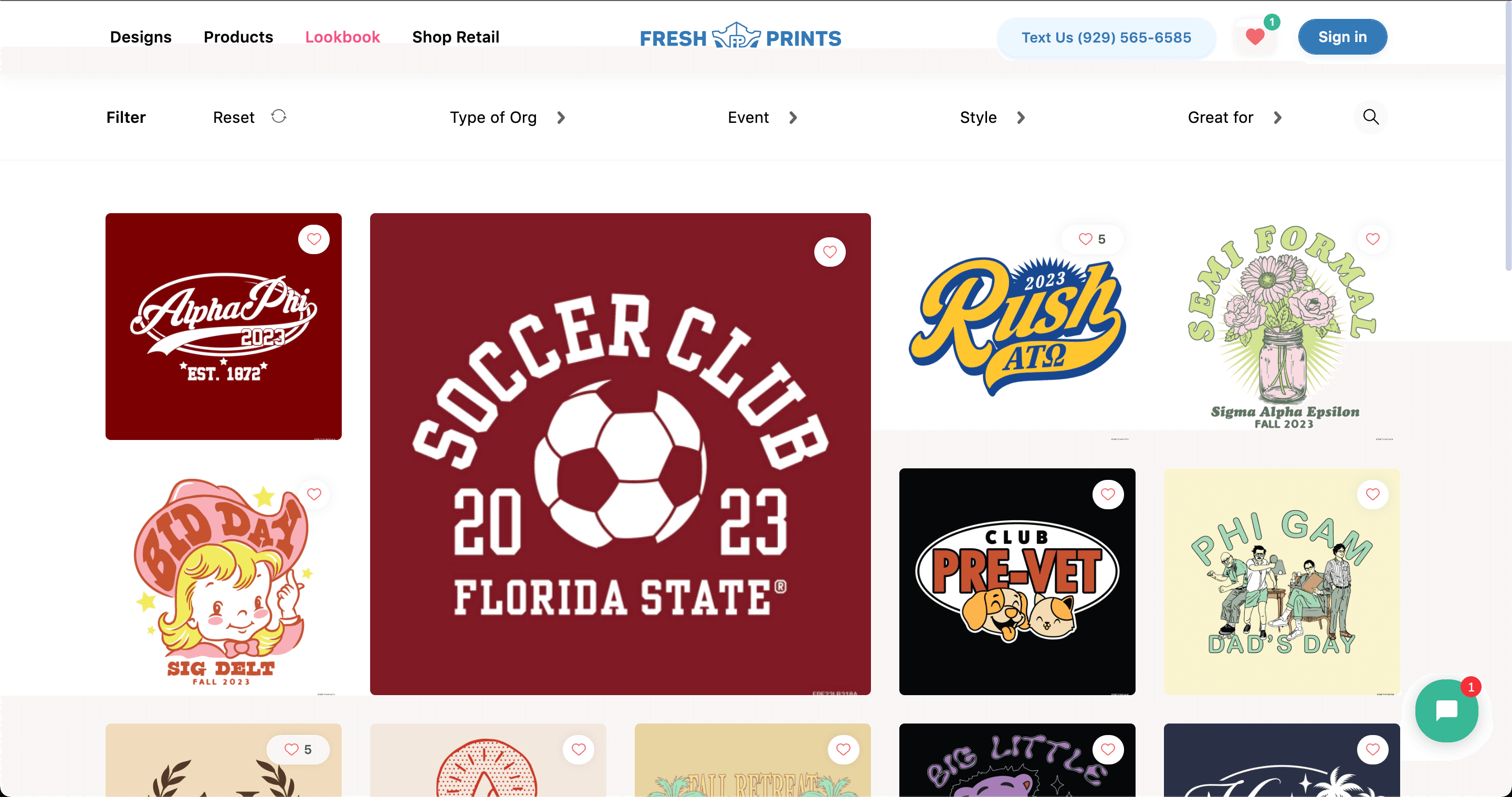
Over 70% of the users who come to the design gallery do not click on any designs.
Results
The end result is a user-friendly and scalable loyalty module that makes it easy for users to shop cool merch
Old Design
UX Audit
People don’t really use the design gallery filters but using them 2x your likelihood of clicking on a design
Using filters boosts user clicks to 50%, compared to 23% without them, moreover over half of the focus group was unaware of the designs for various events and clothing types.
Many users were unaware of the different print methods available. This suggests that filters might be underused because they are hidden and not easily discoverable.
Favoriting isn't optimized for mobile.
Using filters boosts user clicks to 50%, compared to 23% without them, moreover over half of the focus group was unaware of the designs for various events and clothing types.
Many users were unaware of the different print methods available. This suggests that filters might be underused because they are hidden and not easily discoverable.
Top fold of the design gallery doesn't show relevant designs
Most of the designs displayed in th top fold is not relevant to the user as they are very static and user's choice keeps on changing.
Users expect sorting features on e-commerce sites to customize content, and their absence leads to drop-offs. As a standard practice, lacking this feature reduces trust, as users are accustomed to it on other websites.
There is no personalized content available based on user preferences, and no design suggestions are provided to help users discover content more efficiently.
Very little social proof to help you feel confident in the trendiness of our designs.
The younger gen of 2023 trusts social proof as a testament to our trendiness, they trust social proof on social proof and numbers they can see.
This also contributes to the 38% dropoff rates from the design gallery page as users are not excited about our designs and trust that these are the trendiest designs out there.
Design Details Missing in Mobile Gallery
There is no way to see the details of designs on the mobile gallery. To see the zoomed-in design, users have to switch between the DSP and gallery, which creates frustration.
The search bar is not easy to use
The search bar lacks word suggestions based on user input and only shows one search history option, unlike other sites that display 5-6 recent searches.
Final Solution
Push users to use filters
Removed filter options from a button for easier access
Made top-used filters easily visible for a one-tap experience
Added icons for faster filter recognition
Displayed the top 3 filters of each type to reduce scrolling
Prioritized popular filters based on data, with additional options behind a "more" button
Add social proof
Removed filter options from a button for easier access
Made top-used filters easily visible for a one-tap experience
Added icons for faster filter recognition
Displayed the top 3 filters of each type to reduce scrolling
Prioritized popular filters based on data, with additional options behind a "more" button
Make Search bar easy to use
Using Algolia, we added autofill for relevant search terms and typo corrections to speed up searching.
Display actual design visuals next to search results for better clarity
Show more previous search terms to help users resume their search
Suggest curated design collections like trending styles and top events